
Pre-Purchase vs In-Cart vs Post-Purchase Upsells: Shopify Surfaces in 2026
Three upsell surfaces, three different conversion profiles. The math, the offer types, and which Shopify upsell surface to deploy when in 2026.
In this article
- 01 The three surfaces, in order#
- 02 Quick comparison#
- 03 What converts pre-purchase#
- 04 What converts in-cart#
- 05 What converts post-purchase#
- 06 The offer math, surface by surface#
- 07 Stacking the three: the layered funnel#
- 08 A 6-step sequencing playbook#
- 09 Mistakes that flatten the lift#
- 10 When not to layer all three#
- 11 The right tooling#
- 12 A short summary#
The upsell question on Shopify isn’t whether to run one. It’s where. Pre-purchase (PDP and browsing surfaces), in-cart (the cart drawer), and post-purchase (the page after checkout) each capture a different micro-moment with a different psychology, conversion rate, and offer profile. Picking the wrong surface for the offer wastes the offer; picking the right one stacks 25-35% revenue per session.
This guide compares the three surfaces head-to-head — what converts where, the math behind each, and the playbook for layering all three without cannibalizing.
The three surfaces, in order
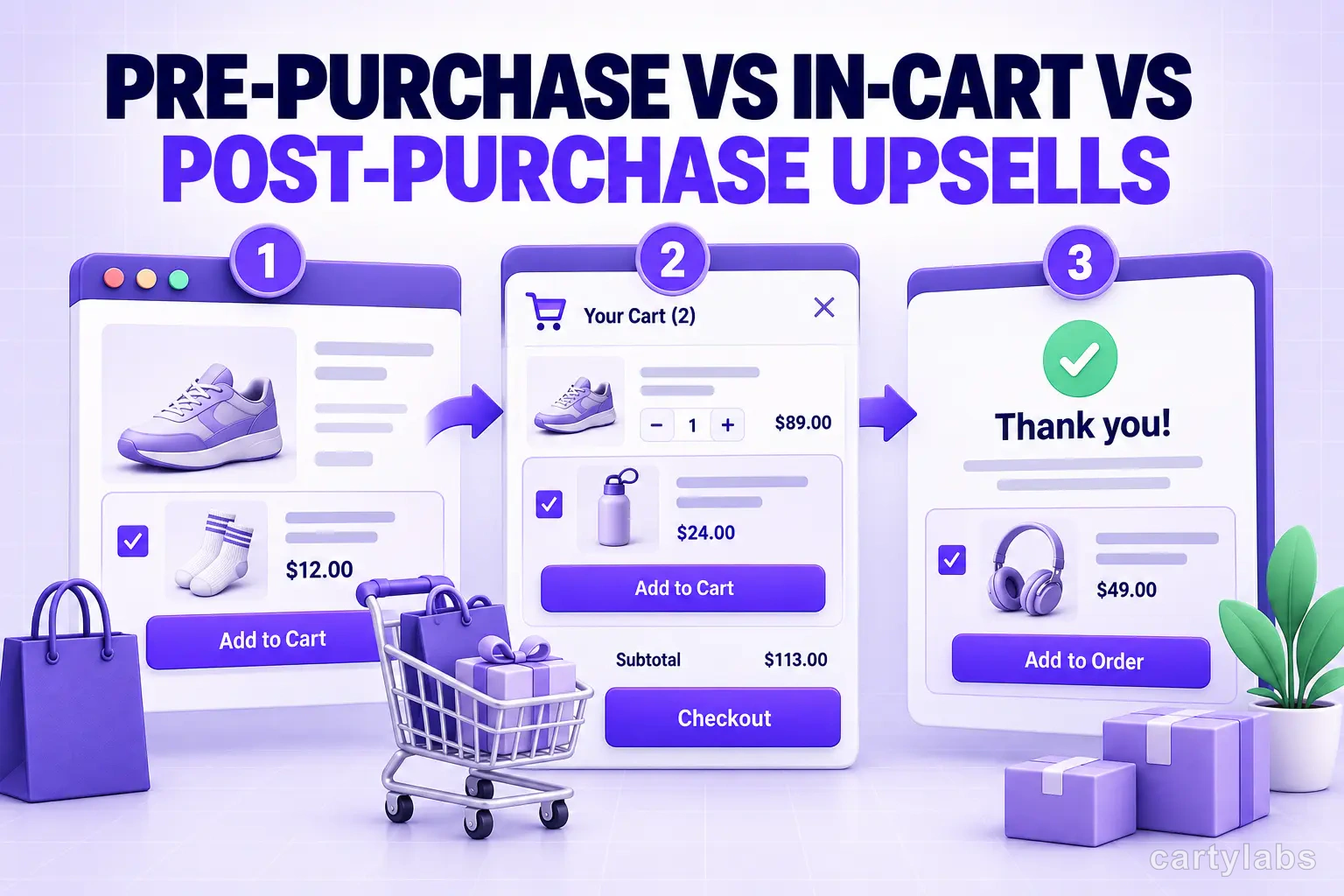
1. Pre-purchase. Anywhere before the cart commits — PDP, collection pages, search results, “complete the look” carousels, recommendation widgets. The shopper is in consideration mode; they’re shaping what to buy.
2. In-cart. The cart drawer or cart page, after add-to-cart but before checkout. The shopper has intent; they’ve committed to buy something. This is the highest-intent micro-moment in the funnel.
3. Post-purchase. The page between payment authorization and the thank-you screen, plus the thank-you screen itself. The shopper has paid; the only friction left is whether to add another item. See the post-purchase upsell guide.
Each surface has its own conversion ceiling and its own offer-fit.
Quick comparison
| Surface | Typical accept rate | Offer types that win | AOV impact |
|---|---|---|---|
| Pre-purchase (PDP) | 1-3% on cross-sell carousel | Variant upsell, complete-the-look | +5-10% |
| In-cart | 8-15% on cross-sell | FBT, tiered rewards, shipping protection | +12-25% |
| Post-purchase | 8-15% on one-click | Quantity bump, complementary single SKU | +3-7% revenue per order |
In-cart is the highest-AOV-impact surface because it captures intent at the peak. Post-purchase is highest-conversion-per-impression because it removes the only remaining friction (re-entering payment). Pre-purchase has the lowest accept rate per-impression but the highest impression volume because every PDP view is a potential surface.
What converts pre-purchase
The shopper is exploring. Their attention is split across the product they’re looking at, the comparison product they remember from yesterday, and the rest of your catalog. Conversion rates are low because most shoppers are still deciding what to buy, not how much of it.
Pre-purchase wins:
- Variant upsell on the PDP. “Save 25% per oz with the 16oz” next to the size selector. Highest-converting pre-purchase pattern.
- Complete-the-look carousels. “Pairs well with…” Cross-sell-style, but lower conversion than in-cart cross-sells.
- Bundle PDP placement. A separate bundle PDP linked from the component PDPs. See the bundle types guide.
- Free shipping threshold messaging. “Add $X for free shipping” on PDP shapes basket size from the start. See the free shipping bar guide.
What loses pre-purchase: aggressive cross-sells (the shopper hasn’t committed yet), urgency timers (feels manipulative when the shopper is just browsing), post-purchase-style discounts (premature).
What converts in-cart
The shopper has clicked add-to-cart. They are committed in a way they weren’t 30 seconds ago. The cart drawer is the single highest-intent surface in the Shopify funnel.
In-cart wins:
- Frequently bought together cross-sells. “Customers also added…” Highest-converting in-cart pattern.
- Tiered rewards bar. Free shipping → free gift → discount. Lifts AOV 22-30%.
- Shipping protection. Low-friction add-on, 25-45% attach rate.
- Volume discount nudge. “Add 1 more for 10% off.”
- GWP unlock. “Spend $X for a free gift.”
- Countdown timer on time-limited offers (use sparingly).
What loses in-cart: more than 3 cross-sell items at once (decision paralysis), post-purchase-style one-click upsells (the cart isn’t the right moment for a “premium upgrade” offer), unrelated products.
For the cart UX that hosts these offers, see the cart drawer guide.
What converts post-purchase
The shopper has paid. The card is on file. The only question is whether they’ll add one more item with one click. Conversion rate is high; offer fit is narrow.
Post-purchase wins:
- Quantity bumps. “Add 1 more of what you just bought, 25% off.”
- Single complementary SKU at 15-25% off. “Goes with what you just ordered.”
- Subscription downsell. “Want to subscribe and save 10%?”
- Premium upgrade. “Upgrade to the bigger size for $X more.”
What loses post-purchase: multi-product offers (one offer at a time), high-discount BOGO (feels desperate), subscriptions to new categories the shopper didn’t buy (mismatched intent).
The offer math, surface by surface
Pre-purchase formula:
Revenue per session = traffic × PDP conversion lift × order value increasePre-purchase moves the shape of the order more than the count. A variant upsell from 8oz to 16oz lifts order value 50% on accepted but converts 6-10% of viewers — small slice, big swing.
In-cart formula:
Revenue per cart = cart sessions × accept rate × cross-sell price × cross-sell marginIn-cart compounds because every cart sees the offer. A 12% accept rate on a $20 cross-sell lifts every cart by $2.40 in expectation. Across 1,000 carts, that’s $2,400 of incremental revenue.
Post-purchase formula:
Revenue per order = order count × accept rate × offer value × offer margin
                  - app fee per accepted offer
Post-purchase has the highest per-impression value because the conversion rate is high and the friction is zero. It pays back fastest of the three.
Stacking the three: the layered funnel
Run all three. They don’t compete; they capture different moments. The full layered Shopify funnel:
| Stage | Surface | Offer type | Lift |
|---|---|---|---|
| Browsing | PDP | Variant upsell + complete-the-look | +6-10% AOV |
| Cart | Cart drawer | FBT + tiered rewards | +20-28% AOV |
| Post-checkout | Post-purchase page | Quantity bump or complementary SKU | +3-7% revenue/order |
| After thank-you | Email/SMS | Retention offer | +10-20% LTV |
Compounded:
Baseline → +8% (PDP) → +24% (cart) → +5% (post-purchase) ≈ +40% revenue per sessionThe catch: the offers across surfaces have to not repeat. If you cross-sell a leather conditioner in-cart and then offer the same conditioner post-purchase, you teach shoppers to defer the in-cart accept. Sequence the offers — different products at each surface, or the same product but at the most efficient surface only.
A 6-step sequencing playbook
- Audit each surface. Which ones are running offers today? Which aren’t?
- Map products to the right surface. Variant upsells → PDP. Cross-sells → cart drawer. Quantity bumps and complementary single-SKUs → post-purchase.
- Eliminate duplicates. If the same product is offered at two surfaces, pick the higher-converting one and drop the other.
- Set offer caps. Max 1-2 offers per surface. Above that, conversion drops.
- Measure surface-by-surface. Accept rate per surface, AOV impact per surface, revenue per session contribution.
- Iterate the lowest-performing surface monthly. Usually pre-purchase needs the most tuning because PDP variance is highest.
Mistakes that flatten the lift
Running the same offer everywhere. “20% off Y” on PDP, in cart, and post-purchase teaches shoppers the offer is always there. The discount stops driving urgency.
No coordination between surfaces. A cart-drawer cross-sell of product X plus a post-purchase offer of product X at a deeper discount trains shoppers to skip the cart-drawer offer.
Skipping post-purchase. Most stores run pre and in-cart but not post. Post-purchase is the cheapest-to-ship of the three (one offer, one product, one discount) and has the fastest payback.
Over-stacking the cart drawer. A drawer with 4 cross-sells, a tiered rewards bar, a shipping protection toggle, a countdown timer, and a promo field is a UX disaster. Pick 2-3 of those, not all five.
Pre-purchase offers that interrupt browsing. Modals on PDP that block the “Add to cart” button cost more than they earn. Inline offers only.
When not to layer all three
- First 30 days of a new store. Ship the cart drawer + tiered rewards bar first. Layer pre-purchase and post-purchase after 60+ days of order data.
- Single-SKU stores. No cross-sell substrate. Use a volume discount plus tiered rewards.
- Luxury single-ticket catalogs. Layered offers feel cheap. Skip post-purchase entirely.
- B2B / wholesale. Buyers want clean POs, not multi-surface offers.
The right tooling
Each surface has its own native tool category:
- Pre-purchase: PDP recommendation apps, theme-level customization, AI recommendation engines.
- In-cart: cart drawer apps with cross-sell + rewards bar (Cartylabs, Rokt Upcart, Monster Upsells).
- Post-purchase: post-purchase apps using the Shopify Post-Purchase API (AfterSell, Cartylabs roadmap).
Stacking all three usually means 2-3 apps. The all-in-one approach is the cart drawer app handling pre-purchase + in-cart natively, plus a dedicated post-purchase app. See the cart drawer guide for the in-cart tooling landscape.
A short summary
Pre-purchase, in-cart, and post-purchase are three distinct upsell surfaces with different conversion profiles, offer types, and impact ceilings. Pre-purchase shapes the order; in-cart lifts the basket; post-purchase extracts a second order with no checkout friction.
Run all three, sequence the offers so they don’t repeat, and measure surface-by-surface. A fully layered funnel lifts revenue per session 25-40% over a single-surface funnel. The compounding effect is what makes the layered approach worth the operational complexity.
Want pre-purchase recommendations + in-cart cross-sells + tiered rewards in one app? Install Cartylabs free on Shopify, or book a 15-minute demo and we’ll map the offers across all three surfaces for your catalog.
Next steps
Related Shopify resources
Practical tools and product pages related to this guide.
Keep reading
All articles →
Best Shopify Upsell Apps: 12 Apps Compared
The best Shopify upsell apps for 2026 compared on AOV lift, pricing, AI logic, and funnel position. 12 apps tested for in-cart, post-purchase, and bundle upsells.
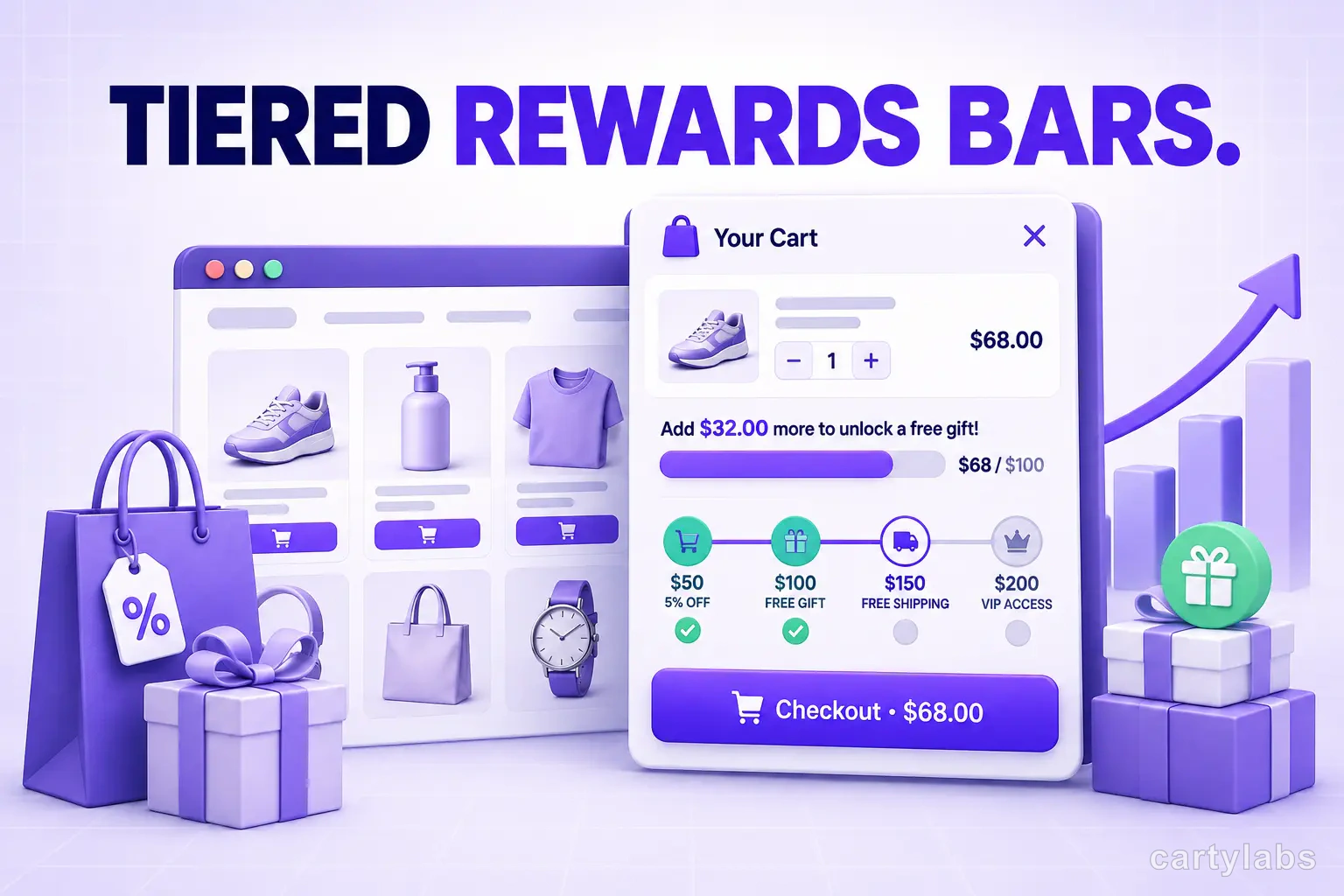
Tiered Rewards Bars: Stacked Incentives That 2x AOV on Shopify
A tiered rewards bar stacks free shipping, free gift, and discount unlocks into one progress bar. The math, the design, and how to ship it on Shopify.
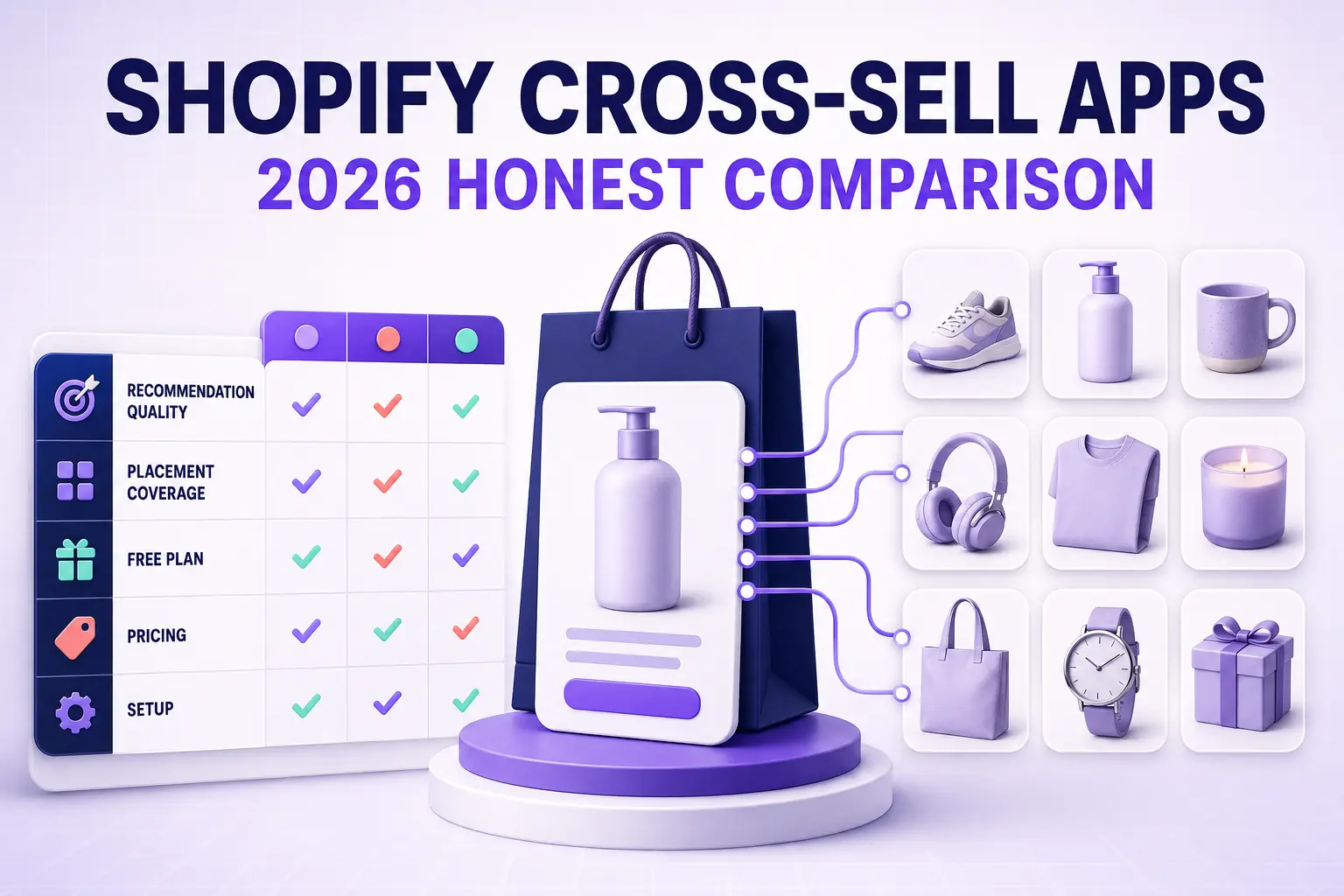
Best Shopify Cross-Sell Apps for 2026: The Honest Comparison
The 9 best Shopify cross-sell apps for 2026 compared on recommendation quality, placement coverage, free plans, pricing model, and setup time — plus which store profile each one actually fits.
 Install Cart — Free