
Shopify Shipping Protection: A Cart-Level Upsell That Pays for Itself
Adding Shopify shipping protection in the cart converts 30-60% of shoppers, adds high-margin revenue, and reduces support tickets. Setup guide.
In this article
- 01 What is Shopify shipping protection?#
- 02 Why it works as a cart upsell#
- 03 Where to surface shipping protection#
- 04 Pricing shipping protection#
- 05 What to cover (and what not to)#
- 06 Self-managed vs. third-party shipping protection#
- 07 How shipping protection works in the Shopify cart#
- 08 Common shipping protection mistakes#
- 09 How to add shipping protection to Shopify#
- 10 Measuring shipping protection impact#
- 11 A short summary#
Shipping protection is a small opt-in line item ($1.50-$3) that covers lost, stolen, or damaged packages, and it is one of the highest-margin cart upsells a Shopify store can ship. It converts at 30-60% of shoppers, requires zero shopper effort, and reduces the volume of “where is my order?” support tickets.
This guide covers what shipping protection actually does, why it works as a cart-level upsell, how to price it, the difference between self-managed and third-party programs, and how to add it to your Shopify cart.
What is Shopify shipping protection?
Shipping protection is a small fee shoppers pay at checkout in exchange for guaranteed reshipment if their package is lost, stolen, or damaged in transit. Two variants:
Third-party programs (Route, Navidium, Shipsy, etc.) handle claims through an external insurer. They take 30-50% of the fee.
Self-managed programs (you keep the fee, you handle the claims) typically run through a Shopify cart app that adds the line item and tracks coverage. You eat the cost of the occasional reshipment but keep 100% of the fee.
For most stores under 10,000 orders/month, self-managed wins on margin. Above that, third-party starts to look attractive because claim volume becomes a real operational cost.
Why it works as a cart upsell
Three reasons:
1. Real benefit, low cost. $2 to guarantee a $40 order is genuinely good value for shoppers. ~50% opt-in is normal.
2. Pure-margin revenue. Even with a 5% claim rate at $40 average reshipment cost, a $2 fee on 100 orders nets $200 in revenue and ~$20 in claim cost = $180 margin. That’s $1.80 per order in pure profit.
3. Reduced support load. Insured shoppers file claims through an automated flow instead of emailing your support inbox. Stores that ship protection see 20-40% fewer “where’s my order” tickets.
Where to surface shipping protection
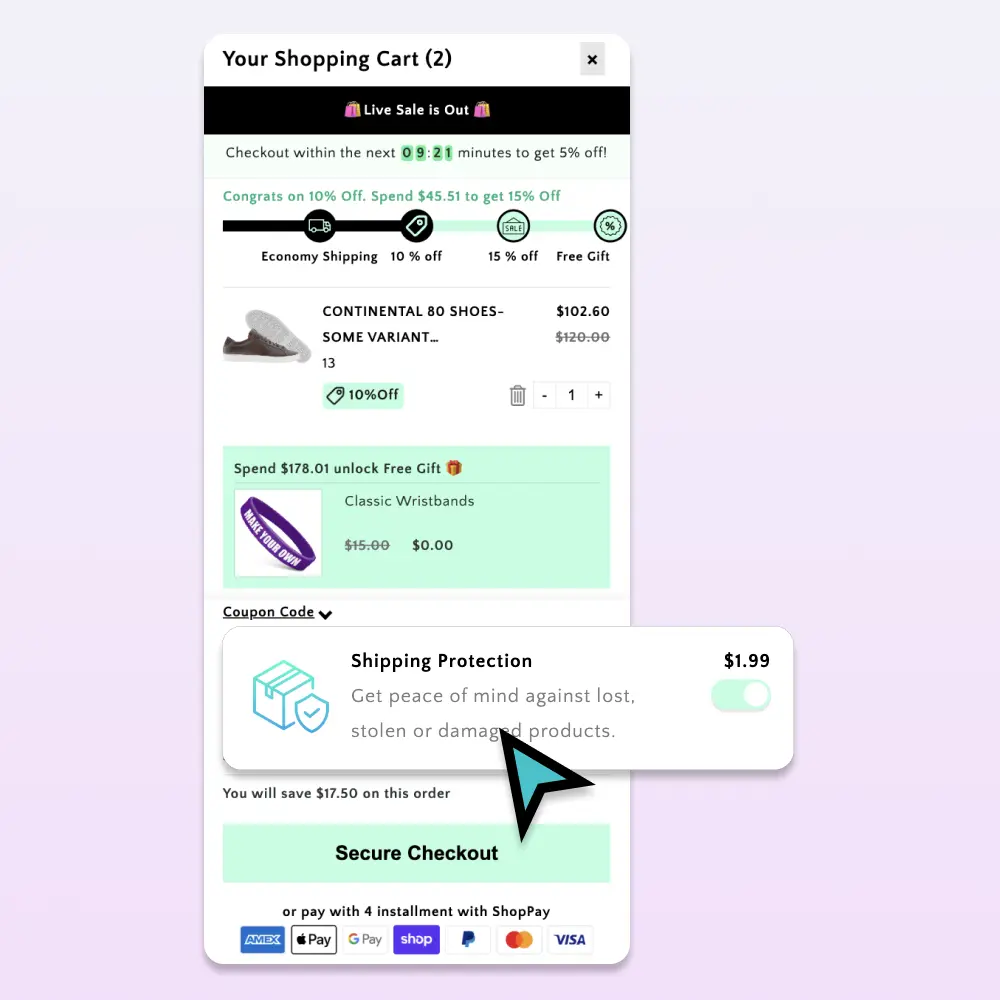
The cart drawer is the right surface. Two patterns:
Pattern A: Default-on toggle (highest opt-in)
A pre-checked toggle in the cart with copy like:
☑ Shipping protection ($2.00) Covers lost, stolen, or damaged packages. Recommended.
Shoppers who don’t want it uncheck it. Default-on opt-in rates: 60-80%.
Trade-off: some shoppers feel manipulated by pre-selected add-ons. Be transparent about the cost and easy to remove.
Pattern B: Default-off toggle (lower opt-in, higher trust)
Same toggle, unchecked by default. Opt-in rates: 25-45%. Slightly lower revenue but cleaner brand reputation.
For most US/EU stores, Pattern A is fine if the protection is genuinely useful and the toggle is honest. For categories with high refund expectation (luxury, regulated goods), Pattern B is safer.
Pricing shipping protection
Two pricing models:
Flat fee per order: simple to implement, easy for shoppers to understand. Common: $1.50-$3.00.
Percentage of cart subtotal: scales with order value. Common: 1.5-3% of subtotal, capped at $5-$10. Better for stores with wide AOV variance.
Flat fee converts slightly better; percentage scales with revenue. Most stores under $100/AOV use flat fees.
What to cover (and what not to)
Standard coverage scope:
✅ Lost in transit (carrier scanned, never delivered) ✅ Stolen from porch (delivery confirmed but customer reports theft) ✅ Damaged in transit (arrives broken)
What to not cover:
❌ Customer-caused damage after delivery ❌ Wrong address provided by customer ❌ Refused delivery ❌ Claims filed >60 days after order
Codify the scope in a short policy linked from the cart toggle so shoppers know what they’re buying.
Self-managed vs. third-party shipping protection
| Self-managed | Third-party | |
|---|---|---|
| Setup time | 5 min (via cart app) | 1-2 days (account, integration) |
| Per-order cost | $0 (you keep the fee) | 30-50% of fee paid to insurer |
| Claim handling | Your support team | Insurer handles claims |
| Best for | Under 10k orders/month | High-volume or expensive products |
| Trust signal | Branded as “your” protection | Branded as third-party insurer |
For most growth-stage Shopify stores, self-managed via a cart app is the right call.
How shipping protection works in the Shopify cart
The mechanic: when a shopper adds the protection line item (via toggle), the cart app inserts a small “Shipping Protection” SKU into the cart at the configured price. Shopify treats it as a regular product, so it flows through checkout, taxes, and post-purchase reporting normally.
When a customer files a claim, you (or the third-party insurer) verify, then ship a replacement or refund the original. Most cart apps include a basic claim form to streamline this.
Common shipping protection mistakes
Hiding the toggle. If the toggle is below-the-fold or visually de-emphasized, opt-in collapses. Show it inline with the line items. (See our cart drawer guide for the full layout-priority order.)
Vague copy. “Add protection” doesn’t tell shoppers what they’re paying for. “Covers lost, stolen, or damaged packages for $2” is specific and converts better.
Pricing that doesn’t scale. $2 on a $200 order feels generous; $2 on a $10 order feels excessive. Use a percentage cap or tiered pricing for wide AOV ranges.
Not honoring claims. If you sell protection but reject claims, you’ve created a worse brand experience than not offering it at all. Honor claims liberally. The math still works.
How to add shipping protection to Shopify
The hard way: create a hidden Shopify product called “Shipping Protection,” write JS to add it to the cart based on a toggle, write Shopify Function code to enforce one-protection-per-order, and build a claim form. Plan for several hours of dev work.
The easy way: use a Shopify cart app with native shipping protection. Cartylabs ships shipping protection as a one-toggle feature in the Growth plan. Set the price (flat or percentage), set the default state (on/off), and a SKU automatically appears in the cart drawer for every shopper.
Measuring shipping protection impact
| Metric | Target |
|---|---|
| Opt-in rate (default-on) | 50-80% |
| Opt-in rate (default-off) | 25-45% |
| Claim rate | 2-6% of insured orders |
| Net margin per insured order | $1.50-$2.50 |
| Support ticket reduction | 20-40% on shipping issues |
If opt-in is below 25% with a default-on toggle, the copy is probably scaring shoppers off. If claim rate is above 8%, you might be advertising the protection to shoppers in regions with high theft/loss rates and should reprice.
A short summary
A Shopify shipping protection upsell is one of the easiest ways to add high-margin revenue and reduce support load in the same move. Self-managed programs through a cart app keep 100% of the fee and are simple to set up.
Want shipping protection live on your store this afternoon? Install Cartylabs free on Shopify. It’s included in the Growth plan, with a 14-day free trial.
Learn more: Shopify upsell app, How to increase AOV on Shopify
Next steps
Related Shopify resources
Practical tools and product pages related to this guide.
Keep reading
All articles →
How to Increase Average Order Value on Shopify: The Complete 2026 AOV Playbook
The 2026 Shopify AOV playbook covering every lever that lifts average order value, from bundles and upsells to checkout extensions, with a prioritized plan.
In-Checkout Upsells: How to Boost Shopify Order Value in 2026
Add in-checkout upsells on Shopify that lift AOV without dragging conversion. Offer construction, placement, targeting, and the apps that ship the highest-converting in-checkout modules in 2026.
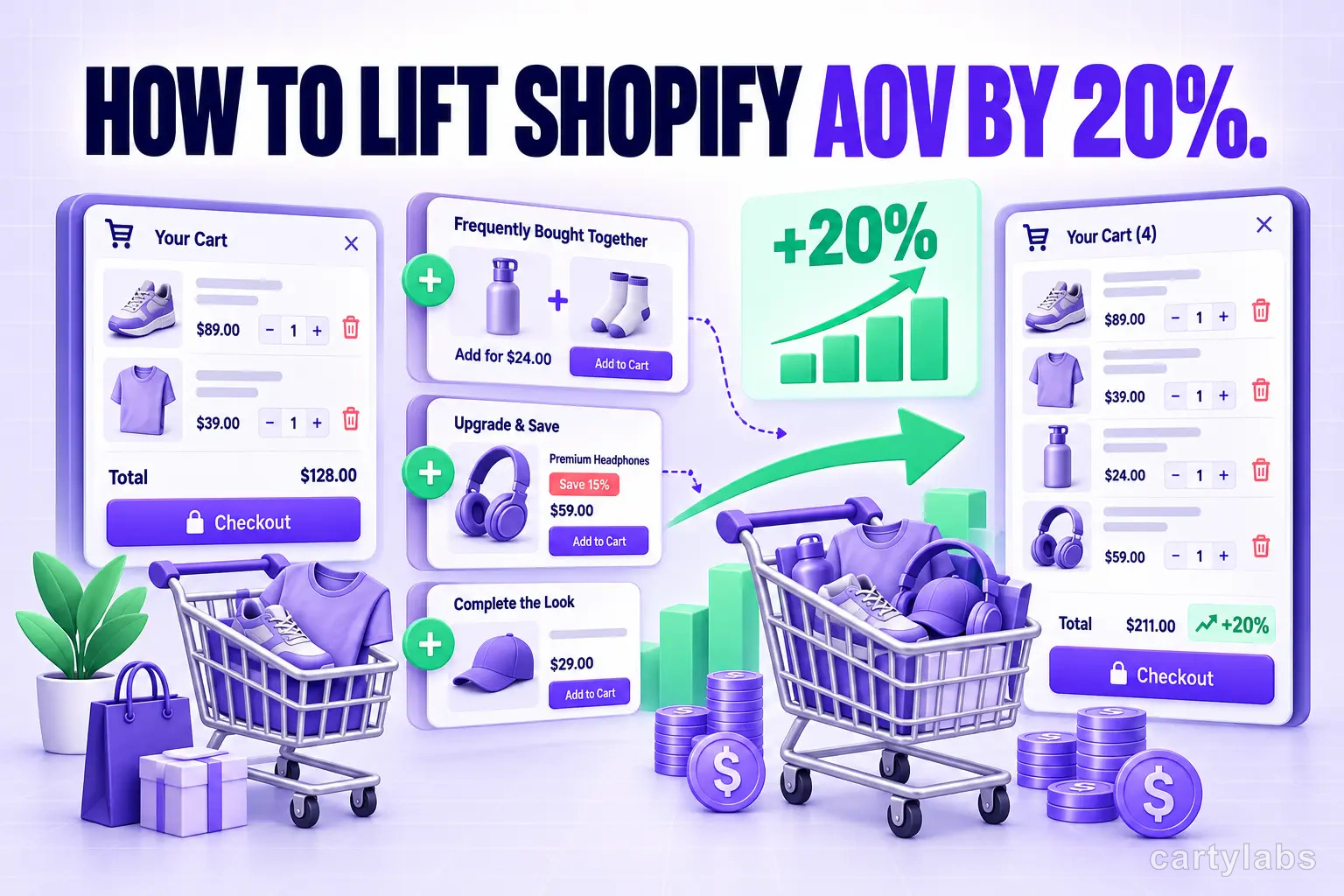
How to Lift Shopify AOV by 20%: A Practical Upsell Guide
Most Shopify stores can squeeze a 15-20% AOV lift from existing traffic. The in-cart upsell strategy that delivers without irritating shoppers.
 Install Cart — Free