
Shopify Plus Checkout Optimization: 11 Levers Only Plus Stores Can Pull
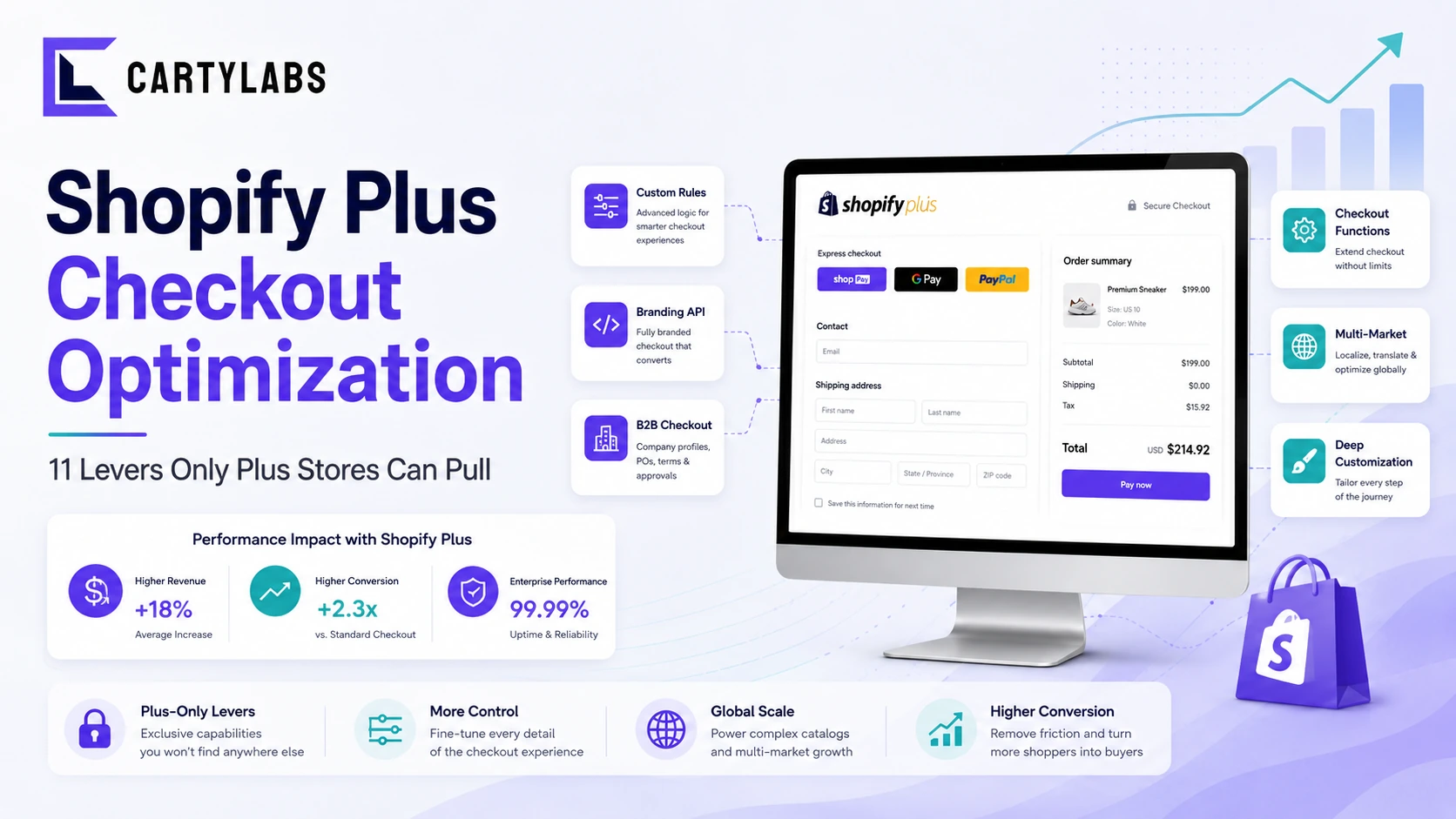
The Shopify Plus-only checkout optimization playbook for 2026. Custom domains, B2B checkout, deep Branding API, Functions, multi-market checkout, and the levers that only unlock above the standard tier.
In this article
- 01 What does Plus actually unlock at checkout?#
- 02 1. Use a custom checkout domain#
- 03 2. Use the Branding API to its full depth#
- 04 3. Build a real B2B checkout flow#
- 05 4. Use Shopify Functions for cart-aware checkout logic#
- 06 5. Run Checkout UI Extensions for in-flow content#
- 07 6. Multi-market checkout via Shopify Markets#
- 08 7. Wholesale-specific entry points and checkout#
- 09 8. Shopify Scripts for legacy customizations#
- 10 9. Multipass for embedded or external checkout#
- 11 10. Shopify Flow plus checkout event triggers#
- 12 11. Real-time personalization at checkout#
- 13 What Plus doesn’t help with#
- 14 The Plus checkout sequencing#
- 15 A short summary#
Shopify Plus costs roughly $2,500/month and up. The justification is usually three buckets: throughput (transaction limits, API rate ceilings), advanced features (Flow, Launchpad, B2B), and deeper checkout customization. The checkout layer is the one where Plus most clearly pays for itself, if you actually use the surface.
This post is the Plus-specific checkout optimization playbook: the 11 levers that meaningfully unlock at the Plus tier and how to use each. For the broader framework that applies to all Shopify tiers, see the Shopify checkout optimization guide.
If you’re not on Plus yet and trying to decide, the prior question is in our Shopify Plus vs Basic when to upgrade post.
What does Plus actually unlock at checkout?
The Plus-specific checkout features in 2026:
- Custom checkout domain (e.g.,
checkout.yourbrand.cominstead ofyourbrand.myshopify.com) - Full Branding API surface (deeper styling, custom fonts, layout density controls)
- B2B checkout flow (separate ordering experience for wholesale customers)
- Shopify Functions with higher invocation limits and more flexible deployment
- Custom payment integrations beyond the standard set
- Shopify Scripts (the legacy logic engine, still supported alongside Functions)
- Multi-channel checkout across Shopify Markets
- Advanced Shopify Flow triggers for checkout events
- Wholesale-specific checkout with custom price lists and net terms
- Higher API throughput for real-time personalization at checkout
- Multipass single-sign-on for embedded checkout in third-party experiences
Standard and Advanced merchants get a strong default checkout. Plus merchants get the surface to build a checkout that feels meaningfully on-brand and supports more sophisticated commerce models.
1. Use a custom checkout domain
The most underrated Plus feature. By default, Shopify checkouts run on shop.app (for Shop Pay) or [store].myshopify.com. On Plus, you can point checkout to a subdomain of your real domain like checkout.yourbrand.com.
Why it matters: shoppers see your domain through the entire purchase journey. A handful of completion-rate points come from never seeing myshopify.com in the URL bar. We’ve seen 1-3 point lifts on stores that made the switch, mostly from first-time buyers who would otherwise pause at the domain change.
Setup: configured in Shopify Admin under Settings → Domains. You’ll need DNS access to add a CNAME record. Full propagation takes 24-72 hours.
2. Use the Branding API to its full depth
Shopify Standard gets a slimmed Branding API surface: basic colors, button styles, basic layout. Plus gets the full surface, including:
- Custom fonts (Google Fonts integration or your own webfont)
- Header layout and logo size variants
- Background images and patterns
- Detailed component-level styling (input borders, focus states, error colors)
- Layout density controls (compact vs spacious form fields)
- Custom corner radii across all components
The total cumulative lift from a well-branded checkout vs a generic-styled one is 1-3 completion points on most stores. The mechanism is simple: shoppers see the same visual identity from product page through thank-you, and the brand-recognition trust signal is preserved.
The mistake we see most often is over-styling: Plus stores that build a checkout so visually elaborate it actively slows down completion. Aim for consistent, not elaborate.
3. Build a real B2B checkout flow
Shopify’s B2B-on-Plus surface (introduced in 2022 and matured significantly since) lets you run a separate checkout experience for wholesale customers:
- Custom price lists per buyer or company
- PO number capture
- Net terms (Net 30, Net 60) for trusted buyers
- Company-level shipping addresses and approvals
- Quantity-tier-based discounting via Functions
- Separate sign-in experience that distinguishes B2B from retail buyers
Stores running both B2C and B2B through the same store should isolate the B2B checkout. Let wholesale buyers skip retail-customer trust badges, surface PO and net-terms fields prominently, and customize the order summary for line-item-heavy orders. We’ve seen 5-12 point completion lifts on isolated B2B flows vs running B2B through the retail checkout.
4. Use Shopify Functions for cart-aware checkout logic
Functions are available on Standard too, but Plus gets higher invocation limits and more flexible deployment patterns. Common Plus uses:
- Tiered discounts that adjust based on cart total (5% at $100, 10% at $250, 15% at $500)
- Bundle pricing that activates when specific products co-occur in cart
- Customer-segment-specific pricing (VIP, returning, member, B2B)
- Shipping rule customization (free shipping for VIP, surcharge for hazmat items, dimensional pricing for furniture)
- Payment method visibility rules (hide PayPal for cart > $1000, require Klarna for installment-eligible items, hide certain methods by country)
Functions are written in Rust or JavaScript and compile to WebAssembly. The Shopify Checkout Extensibility post covers the full technical surface.
5. Run Checkout UI Extensions for in-flow content
UI Extensions work on all tiers, but Plus stores tend to use them more aggressively because of the volume and ROI math. Common patterns:
- Custom upsell block in the order summary (“Add the matching socks for $8, one click”)
- Trust signal blocks sized and placed exactly where the brand wants them
- Custom field capture (gift messages, delivery instructions, custom monogram text)
- Conditional banners (“Free shipping unlocked, your savings are showing in the summary”)
- Loyalty point earn and redeem prompts integrated with your loyalty platform
The biggest single ROI lever on Plus checkouts is a well-built in-summary upsell. We’ve seen 6-14% AOV lifts from a single one-click upsell block in the checkout order summary panel.
6. Multi-market checkout via Shopify Markets
Plus stores using Shopify Markets to sell internationally get market-specific checkout customization:
- Local currency display and pricing
- Local payment methods (iDEAL in the Netherlands, Klarna in the Nordics, PIX in Brazil, Konbini in Japan)
- Translated checkout in 50+ languages
- Local tax and duty inclusion
- Locale-specific trust signals (e.g., the German Trusted Shops badge for DE)
- Region-specific shipping options surfaced first
The completion-rate lift from market-specific checkout vs a generic English/USD checkout for international shoppers is 5-15 percentage points on most Plus stores we’ve worked with. The currency display alone is worth 3-7 points. Shoppers in EUR-billed markets convert dramatically better when prices show in EUR vs USD with auto-conversion.
7. Wholesale-specific entry points and checkout
Separate from B2B-on-Plus (covered above), the older Shopify Wholesale model lets you run a wholesale-only storefront. Plus stores often run a hybrid: B2B-on-Plus for company-account buyers, wholesale storefront for legacy buyers, retail for everyone else.
The checkout optimization angle: each entry point gets its own checkout experience with appropriate fields, trust signals, and order minimums. Don’t run a wholesale buyer through the retail checkout. The field set is wrong and the trust signals are wrong.
8. Shopify Scripts for legacy customizations
Shopify Scripts (the pre-Functions logic engine) is still supported on Plus and runs alongside Functions. For stores with deep existing Script customizations, the migration to Functions is gradual. Scripts handle:
- Line item modifications
- Shipping rate transformations
- Payment method visibility logic
- Discount calculations
Long-term, Shopify is pushing everything toward Functions, but Scripts haven’t been deprecated. If you’re building new logic in 2026, build it in Functions. If you have working Scripts, there’s no urgent reason to migrate.
9. Multipass for embedded or external checkout
Multipass single-sign-on lets you authenticate users from an external site (a content platform, a community site, a partner experience) directly into Shopify checkout with their cart pre-populated. Use cases:
- Editorial and content sites that drive purchase from inline product links
- Partner integrations where the buyer experience starts somewhere else
- Mobile apps that hand off to Shopify for final purchase
- Loyalty platforms that redirect into checkout with point discounts applied
The completion-rate impact here is huge in the right context. Going from “sign in to a separate Shopify account” to “you’re already authenticated, here’s your cart” saves 30-60 seconds and 10-20 points of drop-off for external traffic.
10. Shopify Flow plus checkout event triggers
Flow is the rule-based automation layer that Plus stores get more deeply. Checkout-specific triggers worth wiring up:
- High-value cart created. Notify a CSR for live outreach, queue a follow-up call.
- Cart abandoned > $500. Trigger a custom email sequence with a personal touch.
- First-time buyer placed an order. Kick off a structured welcome sequence.
- Fraud-risk order placed. Hold for manual review, route to risk team.
- B2B order placed. Notify the account manager, queue for credit verification.
These don’t directly lift conversion, but they support the rest of the operation. The human touch on high-value carts, the structured welcome, the fraud catches. Plus stores running Flow against checkout events recover an additional 1-3% of revenue from high-touch operational follow-up.
11. Real-time personalization at checkout
Plus’s higher API throughput unlocks real-time checkout personalization patterns that aren’t practical on Standard:
- Pull in shopper purchase history from a CDP at the moment of checkout to personalize upsells
- Real-time inventory checks across multi-warehouse fulfillment with shipping option ordering
- Per-shopper free-shipping thresholds based on lifetime value
- Dynamic delivery date estimates pulled from a fulfillment platform
The lift depends entirely on the personalization quality. A well-tuned per-shopper upsell can add 10-20% to AOV on the personalized cohort. A generic broadcast upsell adds 4-8%.
What Plus doesn’t help with
A few areas where Plus tier doesn’t actually matter:
- Friction reduction. Stripping form fields, surfacing express payments, optimizing shipping options all work the same on Standard. Plus doesn’t unlock more friction-reduction levers.
- Recovery sequences. Email and SMS abandonment recovery works the same on every tier. (Klaviyo or your ESP handles this, not Shopify.)
- Most trust badge work. Trust badges deploy via UI Extensions on all tiers.
- Mobile-specific optimization. The mobile checkout is the same across tiers. The Branding API is more powerful on Plus, but the underlying layout is identical.
If your store is on Standard and you’re hitting checkout-conversion ceilings, the question isn’t “do we need Plus?” first. It’s “have we exhausted the levers that work on Standard?” In most cases, the answer is no.
The Plus checkout sequencing
If you just upgraded to Plus and want to know what to do at checkout first:
- Set up the custom checkout domain. One-day project, immediate trust lift.
- Audit the Branding API surface and tighten visual consistency with the rest of the site. Two-week project, 1-3 points of completion lift.
- Build one in-summary checkout upsell via UI Extensions. Two-week project, 6-14% AOV lift.
- If you sell internationally, configure market-specific checkout via Shopify Markets. Multi-week project, 5-15 points of international completion lift.
- If you have B2B intent, build the B2B checkout flow. Multi-week project, transformational for wholesale revenue.
- Layer in Functions for cart-aware logic as the use cases emerge. Ongoing.
That’s the first 90 days of Plus checkout work for a typical store.
A short summary
Shopify Plus’s checkout-specific value is concentrated in: custom domain, full Branding API, B2B and multi-market checkout, higher Function and API limits, and Multipass SSO. The combined upside is meaningful (10-25 points of completion lift on the right store) but requires deliberate work. The surface doesn’t optimize itself.
Most Plus stores under-use the checkout surface they’re paying for. If you’re on Plus and your checkout looks 80% like the default, you’re leaving the most expensive part of the platform on the table. Pick the three or four levers above that fit your store and ship them in the first quarter.
Install Cartylabs free on Shopify. Works on all tiers, with Plus-specific extensions for custom domains, Branding API integration, and B2B-aware checkout flows.
Related reading: Shopify checkout optimization guide, Shopify Checkout Extensibility explained, Shopify Plus vs Basic when to upgrade.
Keep reading
All articles →Micro-Copy, Mega Results: Writing Better Shopify Checkout Text
Master Shopify checkout micro-copy with specific examples for button labels, error messages, field hints, trust lines, and Thank You page text that quietly lifts conversion two to five percent.
Guest Checkout vs. Account Creation on Shopify: Which Wins in 2026?
Should you force account creation or offer guest checkout on Shopify? Data-backed comparison of conversion, retention, LTV, and the hybrid post-purchase signup pattern that beats both.
How Transparent Shipping Fees Save Your Shopify Checkout Conversions
Stop losing sales to surprise shipping costs on Shopify. Surface shipping fees on the product page, cart drawer, and checkout with clear policies that lift conversion four to nine percent.
 Install Cart — Free