
Shopify Checkout Extensibility Explained: What It Is, Why It Matters, and How to Use It
The complete explainer for Shopify Checkout Extensibility in 2026. What replaced checkout.liquid, the difference between UI Extensions, Functions, and Branding API, and what you can and can't customize.

In this article
- 01 What is Shopify Checkout Extensibility?#
- 02 Why did Shopify build it?#
- 03 What you can do with Checkout Extensibility#
- 04 What you can’t (still) do#
- 05 The three Extensibility surfaces, compared#
- 06 Who should actually write Extensibility code?#
- 07 Migration: if you still have checkout.liquid customizations#
- 08 What’s coming next#
- 09 Common misconceptions#
- 10 A short summary#
If your last serious Shopify checkout customization was before 2024, the platform has fundamentally changed. Shopify Checkout Extensibility replaced checkout.liquid as the official way to customize checkout, and “just paste some HTML into the checkout template” is no longer a real option.
This post is the strategic and technical explainer: what Extensibility is, why Shopify built it, what you can and can’t do with it, and how to think about checkout customization on Shopify in 2026. The broader optimization context is in the Shopify checkout optimization guide.
What is Shopify Checkout Extensibility?
Checkout Extensibility is Shopify’s modern, supported framework for customizing the hosted checkout experience. It replaced the old checkout.liquid template-editing approach with a structured, upgrade-safe model based on three primary surfaces:
- Checkout UI Extensions. React-style components that render inside checkout (banners, custom fields, content blocks, conditional content).
- Shopify Functions. Server-side logic that runs on cart and checkout events (custom discounts, delivery customizations, payment method customizations, validation rules).
- Branding API. Controlled styling of the hosted checkout (colors, fonts, layout, button styles).
Combined, these let you build pretty much anything checkout.liquid used to let you build, with the trade-off that you’re expressing intent through structured APIs rather than editing markup directly.
Extensibility became mandatory for new checkout customizations in mid-2024. checkout.liquid was officially deprecated for the Information, Shipping, and Payment pages in August 2024 (with the Thank You and Order Status pages following a year later). If you’re on Plus and still using checkout.liquid customizations, those will stop rendering at some point. Shopify has been gradually phasing out support.
Why did Shopify build it?
Three problems with the old checkout.liquid approach:
- It broke things. Custom Liquid in checkout regularly broke Shop Pay, Apple Pay, address autofill, and Shopify’s own checkout improvements. Every Shopify checkout update meant Plus merchants had to manually re-test custom checkouts.
- It locked Plus stores into their customizations. Once a Plus merchant had a custom checkout, they couldn’t easily benefit from Shopify’s centralized improvements. The Shopify checkout team was building improvements that 50%+ of Plus merchants couldn’t receive.
- It was a security and PCI surface. Arbitrary Liquid in the checkout path is a PCI-DSS audit nightmare. Locking that surface down was overdue.
The motivation, charitably, was to give Shopify a single canonical checkout that can evolve continuously, while still giving merchants the customization surface they need. Less charitably, it was a defensive move against Plus merchants drifting too far from the platform’s default.
In practice, the new model is genuinely better for most merchants. The customizations that 90% of stores want (banners, custom fields, conditional content, custom discount logic) are easier to ship and don’t break with platform updates. The 10% of stores that had deeply custom checkouts had real migration pain.
What you can do with Checkout Extensibility
The customization surface is broad. Common use cases:
- Add content blocks anywhere in checkout (banners, callouts, trust badges, shipping policy summaries)
- Collect custom fields (gift messages, delivery instructions, B2B PO numbers)
- Add upsells inside checkout (one-click add-to-order suggestions in cart or order summary)
- Customize discount logic (BOGO, tiered, bundle-aware, customer-segment-specific)
- Customize delivery options (hide methods based on cart contents, custom delivery surcharges, fulfillment-rule-based routing)
- Customize payment methods (hide certain methods for certain carts, reorder methods by likely conversion)
- Validate cart and checkout state (require minimum order quantities, block certain combinations, gate B2B-only products)
- Inject conditional content based on cart contents, customer, locale, or device
- Custom branding via the Branding API (colors, fonts, button styles, layout primitives, custom logos)
The full UI Extensions surface includes ~30 extension points across cart, checkout, and order status pages. Each one is a “slot” where you can render React-style components.
What you can’t (still) do
The genuine limitations:
- You can’t change the fundamental checkout layout. The Information, Shipping, and Payment progression and the order summary placement are fixed. You can theme them, but you can’t restructure them.
- You can’t run arbitrary JavaScript in the checkout DOM. UI Extensions run in a sandbox with a restricted API surface. No jQuery, no direct DOM manipulation, no third-party scripts injected directly.
- You can’t bypass PCI separation. Card entry is rendered by Shopify in an isolated iframe. You can’t read, intercept, or modify card data.
- You can’t replace the place-order button with custom logic that runs before the order is placed (only
before-cart-line-updateand similar pre-cart hooks). - You can’t merge information, shipping, and payment into one truly-one-page experience on Shopify Standard. Only Plus, and only via the Branding API plus selective extension placement.
Most of these limits exist for security and stability reasons. Stores that hit them usually need to rethink the requirement rather than work around the platform.
The three Extensibility surfaces, compared
Checkout UI Extensions
The component layer. Written in React-style code (Preact under the hood) using Shopify’s @shopify/ui-extensions library. They render at named extension points like purchase.checkout.block.render and purchase.checkout.cart-line-list.render-after.
What they’re good for: visual content, custom inputs, conditional UI logic.
Languages: TypeScript or JavaScript.
Deployment: via the Shopify CLI, packaged inside a Shopify app, installed onto the store via the App Store or as a custom app.
Shopify Functions
The server-side logic layer. They compile to WebAssembly and run inside Shopify’s infrastructure on specific events (cart update, checkout validation, discount evaluation).
What they’re good for: custom discount logic, delivery customization, payment method customization, server-side validation that has to be tamper-proof.
Languages: Rust, JavaScript, or any language that compiles to WebAssembly.
Deployment: same as UI Extensions. Shopify CLI, app-packaged, store-installed.
Branding API
The styling layer. A REST API (and Admin GraphQL surface) that lets you control checkout’s colors, typography, button styles, corner radii, layout density, and background imagery.
What it’s good for: making checkout match your brand without writing CSS.
Limitations: structural changes still aren’t possible. You’re theming a fixed layout.
Deployment: configuration via Shopify Admin (Plus only for the full surface) or via API calls from an app.
Who should actually write Extensibility code?
Honest answer: most Shopify stores shouldn’t write their own extensions. Pre-built apps in the ecosystem ship the common customizations (trust badges, free-shipping bars, cart upsells, custom delivery rules) already wrapped as installed extensions. Writing your own makes sense only when:
- The customization is genuinely unique to your business (industry-specific compliance, B2B-specific workflows, region-specific tax handling)
- You have engineering resources and the customization will be maintained over time
- The off-the-shelf options don’t quite fit and the gap is worth the maintenance cost
For most merchants, the right path is to pick apps that use Extensibility under the hood. Cartylabs, for example, ships cart and checkout customizations as a pre-built bundle of UI Extensions and Functions. You configure rather than write code.
If you do want to build your own, the entry point is the Shopify Checkout UI Extensions documentation (official Shopify docs). Plan on a multi-week ramp for a developer new to the surface.
Migration: if you still have checkout.liquid customizations
If you’re a Shopify Plus merchant who still has live checkout.liquid customizations, the path is:
- Audit the customizations. Catalog every change to checkout.liquid, what it does, and which page it lives on (information, shipping, payment, thank-you, order-status).
- Map each to an Extensibility equivalent. Most fall into a UI Extension extension point or a Function event. Some don’t have a 1:1 equivalent and require redesigning the customization.
- Build and test in a development store with the same theme and apps before promoting to live.
- Migrate in stages. Move information, shipping, and payment customizations first (the ones with the earliest deprecation pressure). Thank-you and order-status pages migrated a year later.
- Keep documentation. Extensibility extensions live inside Shopify apps, which can become opaque after a few months. Document what each extension does and why.
For most Plus stores, the migration is a 2-6 week project. Larger custom checkouts can be 2-3 months. Shopify Partners with checkout experience can do this work. It’s not something most stores need to staff internally.
What’s coming next
Shopify ships incremental improvements to Extensibility roughly quarterly. Themes in the 2024-2026 roadmap:
- More extension points in places that previously required workarounds (deeper into cart, payment, post-purchase)
- Better Branding API surface area (more layout primitives, more responsive options)
- Improved Shopify Functions performance and language support
- Marketplace consolidation as more apps standardize on Extensibility-based implementations
The platform direction is clearly toward “broader Extensibility coverage, less need for custom workarounds.” If you’re making customization decisions in 2026, bet on Extensibility maturing and shrink your custom code rather than expanding it.
Common misconceptions
A few persistent myths worth addressing.
“Extensibility means I can’t customize checkout.” Wrong. You can customize a lot, just through structured APIs instead of template editing.
“Only Plus stores can use Extensibility.” Wrong. UI Extensions and Functions work on Shopify Standard and Advanced too. The Branding API is the surface that’s more limited on non-Plus tiers.
“Apps can’t compete with Extensibility-built customizations.” Wrong. Most modern Shopify apps that touch checkout are built on Extensibility under the hood. The choice is “write your own extension” vs “use an app that wraps the same APIs.”
“checkout.liquid still works fine if I don’t update anything.” Mostly wrong. Shopify is gradually disabling rendering of checkout.liquid customizations. Don’t plan around continued support.
A short summary
Shopify Checkout Extensibility is the modern, supported way to customize checkout, replacing checkout.liquid with three structured surfaces: UI Extensions for content, Functions for server-side logic, and Branding API for styling. The customization surface is broad enough to cover ~90% of what merchants actually want, with the trade-off of more structure and less raw template control.
For most stores, the practical path is to use pre-built apps that wrap Extensibility under the hood. For Plus stores with deeply custom checkouts, the migration off checkout.liquid is a real project but unavoidable. The platform direction is clear: Extensibility is the future, and the maintenance and upgrade benefits compound over time.
Want a checkout layer built on Extensibility, with cart and checkout customizations shipped pre-configured? Install Cartylabs free on Shopify. 14-day free trial, no Extensibility code required.
Related reading: Shopify checkout optimization guide, Shopify Plus checkout optimization, Shopify Plus vs Basic when to upgrade.
Keep reading
All articles → Best Shopify Checkout Extensions for 2026 (The Apps That Actually Use Checkout UI Extensions)
The top Shopify checkout extension apps for 2026. Trust badges, upsells, custom fields, gift offers, and payment customizers, compared on Extensibility support, pricing, and fit.
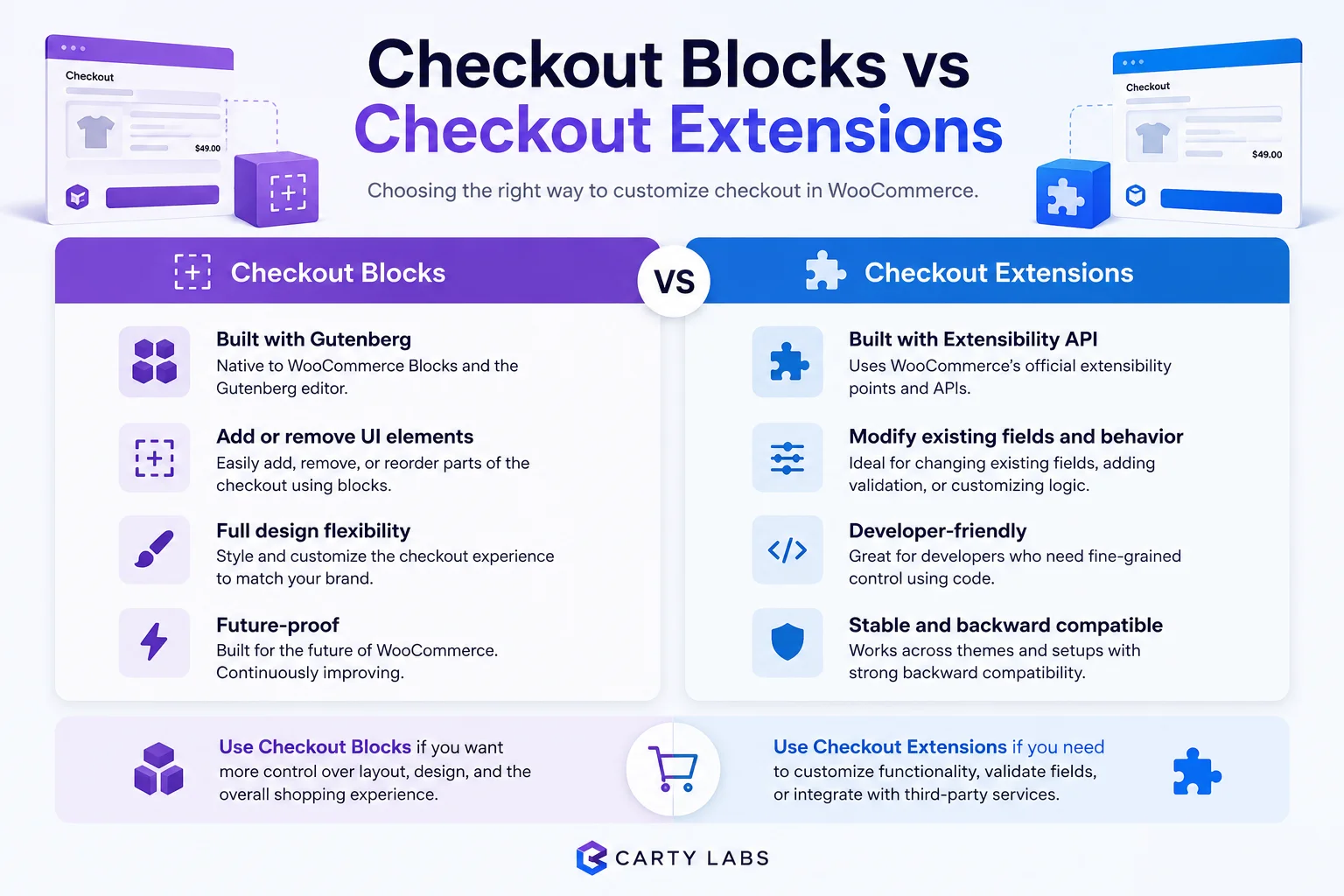
Checkout Blocks vs Checkout Extensions: What's the Difference, and Which Should You Use?
Checkout Blocks (the Shopify app) vs Checkout UI Extensions (the underlying Shopify platform feature). What each one is, when to use which, and how they fit together in 2026.
How to Integrate Loyalty Rewards Directly Into Shopify Checkout
Surface Shopify loyalty rewards inside checkout with UI extensions, points balance widgets, and redemption flows that lift returning-buyer conversion four to nine percent on stores with mature programs.
 Install Cart — Free