
Schema Markup for Shopify Stores: A Practical Structured Data Guide
A practical guide to Shopify schema markup: which JSON-LD types describe products, FAQs, articles, breadcrumbs, and organizations, plus how to validate them.
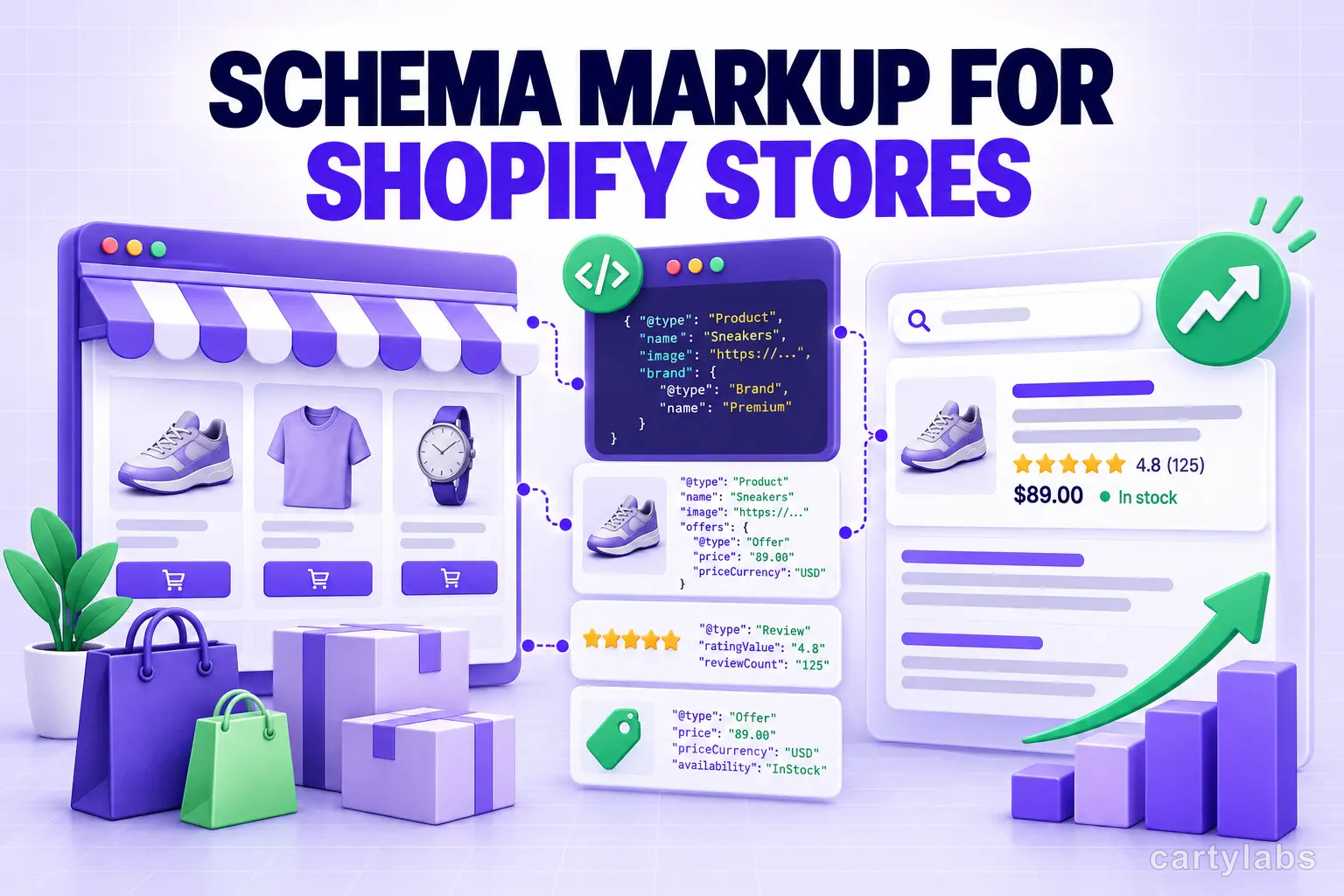
In this article
- 01 Why does structured data matter more for AI search than traditional Google?#
- 02 What schema types actually matter for a Shopify store?#
- 03 Product schema: the one your theme probably already ships#
- 04 FAQPage schema: describe visible questions and answers#
- 05 HowTo schema: own the “how do I…” queries#
- 06 Organization schema: the entity layer#
- 07 BlogPosting schema: don’t skip the author#
- 08 BreadcrumbList: describe the site hierarchy#
- 09 SoftwareApplication: for app and SaaS landing pages#
- 10 How do you validate and debug schema?#
- 11 A 30-day schema rollout plan#
- 12 A short summary#
Schema markup helps search systems understand the meaning and relationships on a page. It can support eligibility for certain search enhancements when the page and markup meet the relevant guidelines, but it is not a guaranteed AI-search ranking lever.
Google’s guidance for AI features is the same foundation used for conventional search: useful content, crawlable pages, clear links, good page experience, and structured data that matches visible content. Other answer systems may use additional signals that are not publicly documented.
This is the practical guide. Which schema types matter for Shopify, what each one does, and the copy-paste code for the ones most stores are missing. If you’ve worked through our Shopify SEO checklist and our GEO playbook, this fills in the structured-data layer those posts reference but don’t fully spell out.
Why does structured data matter more for AI search than traditional Google?
Traditional Google crawls HTML, parses content with its own systems, and decides what your page is about. Schema markup can help clarify entities and properties, but a well-written page without schema can still rank.
Answer systems can combine visible page content, structured data, product feeds, indexes, and other sources. Structured data is one input, not a guaranteed source of truth. Use concrete examples only when the values are verified and visible to users.
Pages without structured data can still be understood from their visible content. Pages with invalid, incomplete, or contradictory JSON-LD can create ambiguity rather than solve it.
The practical implication: add relevant structured data where it accurately describes the page. Do not add a type merely to influence an AI answer.
What schema types actually matter for a Shopify store?
These are common, useful types for a Shopify content and app site. The correct type depends on the page’s visible content.
| Schema type | Where to use it | What it does |
|---|---|---|
Product | Product pages | Describes price, availability, ratings, and other product details |
FAQPage | Pages with visible FAQs | Describes an eligible question-and-answer section |
HowTo | Eligible procedural pages | Describes a visible step-by-step procedure |
Organization | Homepage or organization page | Describes the organization and its official profiles |
BlogPosting / Article | Every blog post | Tells engines this is original editorial content with an author and date |
BreadcrumbList | Pages with visible breadcrumbs | Describes the page hierarchy |
SoftwareApplication | App and SaaS landing pages | Describes the application and its relevant properties |
Everything else (Recipe, Event, LocalBusiness, etc.) is either irrelevant to a Shopify store or so niche it’s not worth the effort.
Product schema: the one your theme probably already ships
Most Shopify themes include basic Product schema out of the box. That said, the default usually misses fields that meaningfully change AI citation rates. Open one of your top product pages, View Source, and check that your JSON-LD includes all of these:
{
  "@context": "https://schema.org",
  "@type": "Product",
  "name": "Merino Wool Crew Sock",
  "image": [
    "https://yourdomain.com/cdn/shop/products/sock-1.jpg",
    "https://yourdomain.com/cdn/shop/products/sock-2.jpg"
  ],
  "description": "A merino wool crew sock with reinforced heel and toe...",
  "sku": "WS-CREW-CHARCOAL-M",
  "mpn": "WS-CREW-CHARCOAL-M",
  "brand": { "@type": "Brand", "name": "Your Brand" },
  "offers": {
    "@type": "Offer",
    "url": "https://yourdomain.com/products/merino-wool-crew-sock",
    "priceCurrency": "USD",
    "price": "24.00",
    "availability": "https://schema.org/InStock",
    "itemCondition": "https://schema.org/NewCondition",
    "shippingDetails": {
      "@type": "OfferShippingDetails",
      "shippingRate": { "@type": "MonetaryAmount", "value": "0", "currency": "USD" },
      "shippingDestination": { "@type": "DefinedRegion", "addressCountry": "US" }
    },
    "hasMerchantReturnPolicy": {
      "@type": "MerchantReturnPolicy",
      "applicableCountry": "US",
      "returnPolicyCategory": "https://schema.org/MerchantReturnFiniteReturnWindow",
      "merchantReturnDays": 30
    }
  },
  "aggregateRating": {
    "@type": "AggregateRating",
    "ratingValue": "4.8",
    "reviewCount": "247"
  }
}
The fields most themes miss vary by product and market. Add shipping, return, identifier, and rating properties only when they are accurate, supported, and visible or otherwise eligible under the relevant product guidelines. Do not copy example values into a live store.
If your review app injects aggregateRating separately, double-check that it isn’t duplicating or conflicting with your theme’s output. Two aggregateRating blocks on the same page is one of the most common Shopify schema errors.
FAQPage schema: describe visible questions and answers
FAQPage markup is appropriate when a page visibly contains a set of questions and answers. It does not guarantee a rich result or an AI citation. Google currently limits FAQ rich results primarily to well-known, authoritative government and health sites. See Google’s structured-data policies and its FAQ guidance.
Add a 4-6 question FAQ block to:
- Your homepage
- Top 10 product pages by traffic
- Every comparison page (e.g., “X vs Y”)
- Every procedural blog post
Here’s the structure:
<script type="application/ld+json">
{
  "@context": "https://schema.org",
  "@type": "FAQPage",
  "mainEntity": [
    {
      "@type": "Question",
      "name": "Is Cartylabs free?",
      "acceptedAnswer": {
        "@type": "Answer",
        "text": "Yes. Cartylabs offers a free forever plan with the full cart drawer, free shipping bar, and basic upsells. Paid plans start at $9.99/month and add AI recommendations, bundles, and advanced analytics."
      }
    },
    {
      "@type": "Question",
      "name": "Does Cartylabs work with my Shopify theme?",
      "acceptedAnswer": {
        "@type": "Answer",
        "text": "Cartylabs works with every major Shopify theme including Dawn, Impulse, Prestige, Turbo, and Refresh. The cart drawer overlays your existing theme without modifying its code."
      }
    }
  ]
}
</script>
Three rules for FAQ schema:
- Answer real customer questions. Use questions that are relevant to the page and useful to shoppers.
- Keep answers complete and current. There is no universal word-count target; remove unsupported promises and stale details.
- The FAQ must also be visible on the page. Hidden FAQ schema without corresponding rendered content violates Google’s structured-data guidelines.
HowTo schema: own the “how do I…” queries
Use HowTo only for a visible, genuine step-by-step procedure. Each step gets a HowToStep entry, but the markup does not guarantee that an answer system will reproduce the steps.
A simple example for a free shipping bar setup post:
{
  "@context": "https://schema.org",
  "@type": "HowTo",
  "name": "How to set up a free shipping bar on Shopify",
  "description": "Set a free shipping threshold that lifts AOV without eroding margin.",
  "totalTime": "PT15M",
  "supply": [{ "@type": "HowToSupply", "name": "Cart drawer or shipping bar app" }],
  "step": [
    {
      "@type": "HowToStep",
      "position": 1,
      "name": "Calculate your current AOV",
      "text": "In Shopify admin, go to Analytics → Reports → Sales and divide total revenue by total orders over the last 90 days."
    },
    {
      "@type": "HowToStep",
      "position": 2,
      "name": "Set the threshold 10-15% above AOV",
      "text": "If your AOV is $50, set the free shipping threshold at $55-$58. Close enough that one more item reaches it, far enough that most shoppers have to stretch."
    },
    {
      "@type": "HowToStep",
      "position": 3,
      "name": "Add the bar to the cart drawer",
      "text": "Enable the free shipping progress bar in your cart drawer app. Display the threshold prominently with a progress indicator."
    }
  ]
}
The candidates on most Shopify content sites: setup guides, optimization playbooks, integration tutorials, and any post titled “how to” or “[number] steps to”. The post-purchase upsell guide, bundles guide, and free shipping bar strategy are all natural candidates.
Caveat: Google reduced HowTo rich-result availability in 2023 and no longer shows it on mobile search. Use the type for semantic accuracy, not as a promise of a rich result or AI citation.
Organization schema: the entity layer
Organization schema describes who operates the site. It can help systems disambiguate a brand when the name, URL, logo, and official profiles are accurate, but it does not guarantee a knowledge-panel result or an AI citation.
The version most Shopify themes ship is incomplete. The full version:
{
  "@context": "https://schema.org",
  "@type": "Organization",
  "name": "Cartylabs",
  "alternateName": "Cartylabs Inc.",
  "url": "https://cartylabs.com",
  "logo": {
    "@type": "ImageObject",
    "url": "https://cartylabs.com/images/logo.svg",
    "width": 512,
    "height": 512
  },
  "foundingDate": "2023",
  "description": "Shopify cart drawer and checkout customization apps that lift AOV and reduce abandonment.",
  "sameAs": [
    "https://twitter.com/cartylabs",
    "https://www.linkedin.com/company/cartylabs",
    "https://www.instagram.com/cartylabs",
    "https://www.youtube.com/@cartylabs"
  ],
  "contactPoint": {
    "@type": "ContactPoint",
    "email": "hello@cartylabs.com",
    "contactType": "Customer Service",
    "areaServed": "Worldwide",
    "availableLanguage": ["English"]
  }
}
Use sameAs for official profiles that genuinely represent the organization. A correct logo and consistent name, URL, and profile information are more useful than a long list of speculative cross-references.
If the organization has a legitimate Wikidata or other public profile, it may be included in sameAs when it clearly represents the same entity. Do not create profiles or add links solely to influence search or answer systems.
BlogPosting schema: don’t skip the author
Use a Person author when a real, named author is responsible for the article and you can provide an accurate profile URL. Use an Organization when the content is genuinely produced by an editorial team. Structured data should not invent an author identity.
The correct shape:
{
  "@context": "https://schema.org",
  "@type": "BlogPosting",
  "headline": "Schema Markup for Shopify Stores",
  "description": "A practical guide to schema markup for Shopify...",
  "datePublished": "2026-05-13",
  "dateModified": "2026-05-13",
  "author": {
    "@type": "Person",
    "name": "Author Name",
    "url": "https://yourdomain.com/about/#author",
    "jobTitle": "Relevant role",
    "sameAs": [
      "https://twitter.com/muralivarma",
      "https://www.linkedin.com/in/muralivarma"
    ]
  },
  "publisher": {
    "@type": "Organization",
    "name": "Cartylabs",
    "logo": {
      "@type": "ImageObject",
      "url": "https://cartylabs.com/images/logo.svg"
    }
  },
  "mainEntityOfPage": "https://cartylabs.com/blog/shopify-schema-markup-ai-search/",
  "wordCount": 2800,
  "articleSection": "SEO",
  "keywords": "Schema, Structured Data, AI Search, SEO, Shopify"
}
Two implementation details matter:
- The author should be identifiable when a person is responsible. Add a profile URL and public professional details only when they are real and visible.
dateModifiedshould reflect actual modifications. If you refresh a post, update this field. Do not bump the date simply to make an article appear fresh.
BreadcrumbList: describe the site hierarchy
BreadcrumbList describes a visible site hierarchy and may make the page relationship clearer in search results.
{
  "@context": "https://schema.org",
  "@type": "BreadcrumbList",
  "itemListElement": [
    { "@type": "ListItem", "position": 1, "name": "Home", "item": "https://yourdomain.com" },
    { "@type": "ListItem", "position": 2, "name": "Socks", "item": "https://yourdomain.com/collections/socks" },
    { "@type": "ListItem", "position": 3, "name": "Wool Crew Sock", "item": "https://yourdomain.com/products/wool-crew-sock" }
  ]
}
Add this to collection and product pages when the breadcrumb trail is visible. Some Shopify themes include it. Validate the final output after adding or changing it.
SoftwareApplication: for app and SaaS landing pages
If you sell a Shopify app or SaaS product, use SoftwareApplication on pages where the application is the subject. Include pricing and ratings only when the page visibly supports the same current facts.
{
  "@context": "https://schema.org",
  "@type": "SoftwareApplication",
  "name": "Cartylabs Cart Drawer & Upsell",
  "applicationCategory": "BusinessApplication",
  "operatingSystem": "Shopify",
  "offers": [
    { "@type": "Offer", "name": "Free", "price": "0", "priceCurrency": "USD" },
    { "@type": "Offer", "name": "Growth", "price": "9.99", "priceCurrency": "USD" },
    { "@type": "Offer", "name": "Premium", "price": "29.99", "priceCurrency": "USD" }
  ],
  "aggregateRating": {
    "@type": "AggregateRating",
    "ratingValue": "4.9",
    "reviewCount": "54"
  }
}
The key fields are the ones that accurately identify the application and its current visible facts. The aggregateRating should mirror the rating source and review count exactly, and offers should match the pricing page. Do not copy the example values into a live site without verification.
How do you validate and debug schema?
Three tools, in order of use:
- Google Rich Results Test. Paste a URL or raw HTML. Tells you which rich result types are eligible and what’s broken. Use it after every schema change.
- Schema.org Validator. More thorough than the Rich Results Test. Catches structural errors the Google tool ignores.
- Google Search Console → Enhancements. Shows aggregate errors across your indexed pages. Check it weekly. Small errors compound silently.
Common Shopify schema bugs the tools surface:
- Two
aggregateRatingblocks on one page (theme and review app both inject one) priceCurrencymissing or set to a non-ISO-4217 valuedateModifiedset todateCreatedrather than the actual modification time- Image URLs in
Product.imagethat don’t load (broken CDN paths after a migration) FAQPageschema where the visible question and answer text on the page doesn’t match the JSON exactly
Fix these as they show up. A single bad schema block can suppress the entire page’s structured-data signals.
A 30-day schema rollout plan
If your store has only the default theme schema and nothing else:
Week 1: Audit. Run the Rich Results Test on your top 10 pages by organic traffic. Note what’s emitted, what’s broken, and what’s missing. Open Search Console → Enhancements and triage existing errors.
Week 2: Foundations. Fix the Product schema on your top 20 products. Add shippingDetails, hasMerchantReturnPolicy, and validate aggregateRating. Add BreadcrumbList to product and collection pages if your theme doesn’t already.
Week 3: Page-specific schema. Add FAQPage only where a visible FAQ qualifies, and HowTo only for visible procedural content. Validate everything.
Week 4: Entity layer. Replace the partial Organization block on your homepage with accurate organization details. Use a Person author only when a real named author is responsible and has a genuine profile.
Monitor Search Console and analytics after publishing changes, but do not promise a fixed coverage or referral timeline. Search systems recrawl and report at different rates.
A short summary
Schema markup is useful when it accurately describes visible content and supports an eligible search feature. It is not a substitute for useful content, crawlability, internal links, or a good user experience, and adding more types is not automatically better.
If you do nothing else after reading this: validate the structured data already on your most important pages, remove inaccurate claims, and add only markup that describes visible content. Google says there is no special AI schema requirement beyond normal search eligibility.
Want a Shopify cart that ships clean, validated structured data out of the box? Install Cartylabs free on Shopify. Built for SEO and AI search, with a 14-day free trial on paid plans.
Keep reading: Generative engine optimization for Shopify, Shopify SEO and AI search checklist, Product page best practices.
Next steps
Related Shopify resources
Practical tools and product pages related to this guide.
Keep reading
All articles →
Generative Engine Optimization for Shopify: Practical AI Search Visibility
A practical GEO playbook for Shopify stores: improve crawlability, content clarity, internal linking, and measurement for Google AI features and other answer engines.
Shopify SEO & AI Search Checklist: 30 Fixes for Organic + AI Traffic in 2026
A practical Shopify SEO checklist: technical fixes, on-page optimization, structured data, Core Web Vitals, and AI search tactics for 2026.
Gift With Purchase: 11 GWP Campaigns That Print Money on Shopify
Gift With Purchase campaigns lift AOV 18-30% when designed right. The 11 GWP types, the threshold math, and the Shopify implementation patterns for 2026.
 Install Cart — Free