
Shopify Store Launch: A Practical Playbook to Your First $10K Month
Launching a Shopify store from zero to $10K/month: product validation, theme setup, ad budget, conversion optimization, and the first 90 days of operations.
In this article
The first $10K month on Shopify is the milestone that separates “I’m trying” from “this is a business.” It’s also the milestone where most new stores stall. Not because the product is bad, but because the operational plan was never written down.
This is a practical, no-fluff playbook for getting a new Shopify store from zero to $10K/month in 90-180 days. It’s based on the patterns we’ve seen across hundreds of stores that hit the milestone, along with the failure modes of stores that didn’t.
Before you write a line of code
1. Validate demand before building the store
The single biggest mistake new founders make: they build the store, then look for customers. Reverse it.
Three cheap validation tests, in order:
- Search demand: does anyone search for the product? Use Google Keyword Planner (free) and look for >1,000 monthly searches on the head term in your geography.
- Marketplace presence: are similar products selling on Amazon, Etsy, or eBay? If yes, demand exists. If no, you might be inventing a category, which is much harder.
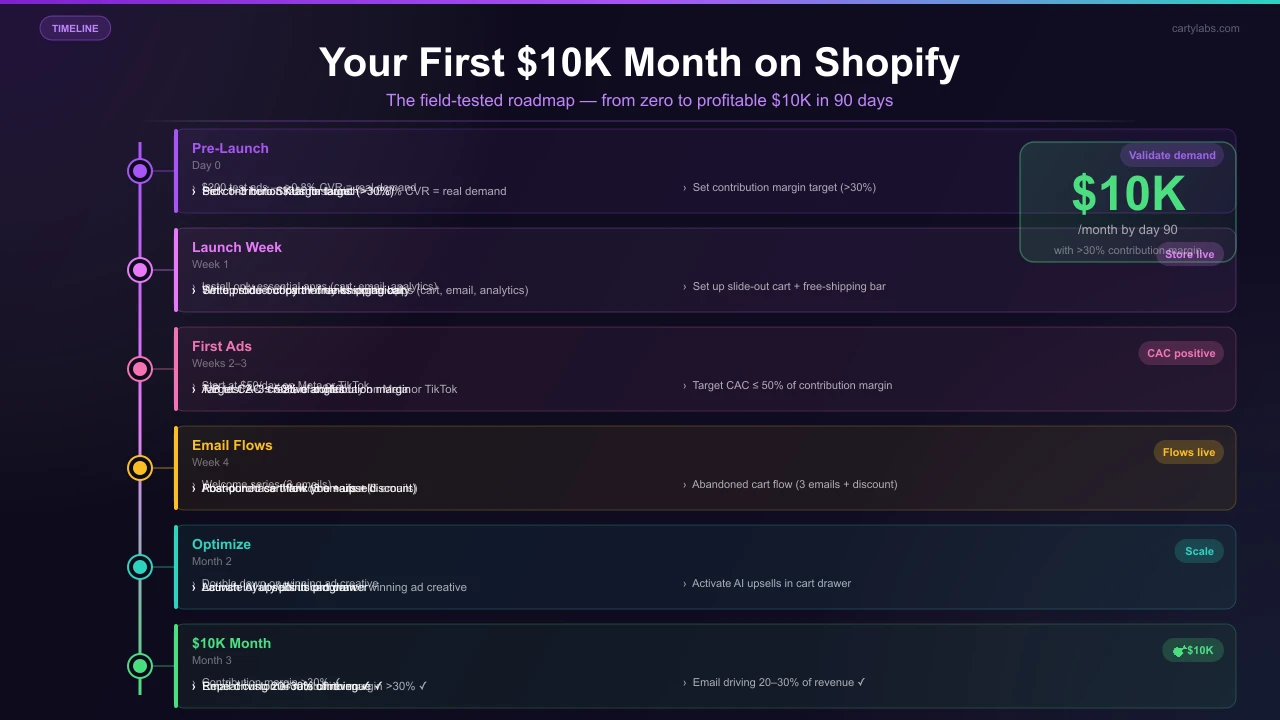
- Pre-order test: put up a one-page Shopify store with a product page and a “Pre-order, ships in 4 weeks” CTA. Run $200 of paid ads. If you get >0.8% conversion, demand is real.
If you fail validation, change the product. Don’t change the marketing.
2. Define your unit economics
Before anything else, build a simple spreadsheet:
- Product COGS
- Shipping cost (per order)
- Payment processing (~3%)
- Shopify fees (subscription + transaction)
- Estimated CAC (paid acquisition cost)
- Selling price
- = Contribution margin per order
You need contribution margin > 30% of selling price for a sustainable DTC business. If yours is 10%, you can’t ad-spend your way to $10K/month profitably. You’ll be subsidizing every order.
3. Pick your launch SKU mix
Don’t launch with 1 SKU (too risky if it flops) and don’t launch with 50 (too unfocused). The sweet spot is 3-8 SKUs:
- 1-2 hero products (the reason customers come)
- 2-3 complements (drives AOV via FBT/bundles)
- 1-2 entry-price options (lower commitment for first-time buyers)
Setting up the Shopify store
4. Pick the right theme
Three options:
- Dawn (free): Shopify’s reference theme. Modern, fast, and free. Best for clean DTC stores.
- Premium themes ($150-$400): Themes like Impulse, Prestige, Stiletto. More built-in features (mega menus, lookbooks).
- Custom build: Don’t, unless you have specific requirements and a $5k+ budget.
Recommendation for most: start with Dawn, customize as you scale. You can always swap themes later.
5. Install only the apps you need
Each app adds complexity, latency, and a monthly fee. The minimum viable Shopify app stack:
- Cart drawer + upsells: Cartylabs (or similar), which handles cart, sticky bar, upsells, and rewards in one
- Email/SMS: Klaviyo (free for first 250 subscribers)
- Reviews: Judge.me or Stamped (free tier)
- Analytics: Shopify Analytics + GA4 (both free)
That’s 4 apps. Resist the temptation to install 10+ “growth hack” apps before launch. They slow your store and rarely move the needle.
6. Get the cart UX right from day one
Most new stores leave 10-20% of revenue on the table by shipping with the default Shopify cart page. Day-one cart setup:
- Slide-out cart drawer (not the cart page)
- Sticky add-to-cart bar on PDPs
- Free-shipping threshold + progress bar
- AI upsell recommendations in the cart drawer
This is the highest-ROI day-one setup work you can do.
7. Write product copy that ranks
Each product page needs:
- Keyword-rich title
- 150+ word description
- 4-6 high-quality photos + 1 video
- 4-6 bullet feature list
- Sizing/care/shipping info
- (After launch) Customer reviews
See our Shopify product page best practices for the complete checklist.
The first 90 days
8. Launch quietly to friends and family
Before any paid ads, sell to 20-50 people in your network at a discount. Goals:
- Stress-test checkout, fulfillment, and support
- Collect honest product feedback
- Get the first 10-20 reviews on the store
- Generate UGC (photos, testimonials)
Don’t skip this. The first paid traffic should land on a store with reviews and social proof, not a blank one.
9. Start ads small
Don’t launch with a $5,000/mo ad budget. Start with $30-$60/day on Meta + TikTok, learn what creative works, then scale.
A simple starting structure:
- Meta: 1 advantage+ shopping campaign, 3 creative variants per ad set
- TikTok: 1 spark ad campaign with 3 organic-feeling video creatives
Goal in week 1: get 50+ purchases at any CAC. You’re buying data, not optimizing yet.
By week 4: aim for CAC ≤ 50% of contribution margin.
10. Set up the email flows from day one
Five flows that should be live by week 2:
- Welcome series (3 emails)
- Abandoned cart (3 emails)
- Browse abandonment (2 emails)
- Post-purchase (4 emails)
- Back-in-stock alerts
See our email marketing strategy for the specifics, plus the cart abandonment playbook for the on-site recovery side.
11. Talk to every early customer
The first 100 customers are the highest-signal feedback you’ll ever get. Email each one personally (from the founder), ask:
- Why did you buy?
- What almost stopped you?
- What would you change?
Direct quotes from this become your homepage copy, ad creative, and FAQ section.
12. Pile up reviews aggressively
Email each customer 7-10 days after delivery asking for a review. Offer a $5 store credit for a written review with a photo (the photo doubles conversion rate of the review).
Goal by month 3: 100+ reviews on the store, 4.7+ average rating.
The growth loop after launch
Once the basic engine is running (ads → site → checkout → email retention), the next level is compounding the loop:
- Lower CAC by improving creative
- Lift AOV with better cart upsells
- Lift LTV with subscription / repeat purchase flows
- Pour the increased margin back into more ads
Each cycle improves the next. Stores that stall at $5K/mo usually have one part of this loop broken. It’s typically the cart UX or the post-purchase flows.
Common launch mistakes
Launching with no inventory plan. Going viral with 50 units in stock = 50 sales then 4 weeks of “out of stock.”
Launching with no shipping plan. Shipping is the #1 cause of bad reviews on new Shopify stores. Pick a carrier, set realistic delivery windows, communicate them.
Spending heavily on ads before product-market fit. If your week-1 conversion rate at any CAC is below 0.5%, the product or the offer is wrong. Fix that before scaling spend.
Ignoring mobile. 70%+ of traffic will be mobile. Test the entire purchase flow on a real phone before launch.
Hiding the price. If shoppers can’t find the price within 2 seconds of landing, conversion tanks.
Not setting up Shopify Payments + Shop Pay. Shop Pay’s accelerated checkout converts 1.7x guest checkout. Free to enable.
Building a complex theme before validating demand. Spend $0 on theme development before you’ve sold to 100 customers.
When you’ve hit $10K/month
The next milestones at $25K, $50K, and $100K monthly each require different work:
- $25K: nail the email flows + at least 1,000 reviews
- $50K: introduce a subscription program if applicable + start influencer marketing
- $100K: hire a part-time ops person, expand SKU mix, formalize forecasting
But the foundations laid in the first 90 days, including cart UX, email flows, product copy, and customer feedback loops, are what carry you the rest of the way.
A short summary
Going from zero to $10K/month on Shopify is a sequencing problem more than a money problem. Validate demand, set up the cart and email flows correctly day one, start ads small, talk to every early customer, and pile up reviews. The math works if the foundation is right.
Want the cart and upsell pieces handled day one? Install Cartylabs free on Shopify. You get a cart drawer, sticky bar, AI upsells, and rewards bar in one Shopify App Embed, with a 14-day free trial.
Learn more: Shopify cart drawer app, How to increase AOV on Shopify
Keep reading
All articles →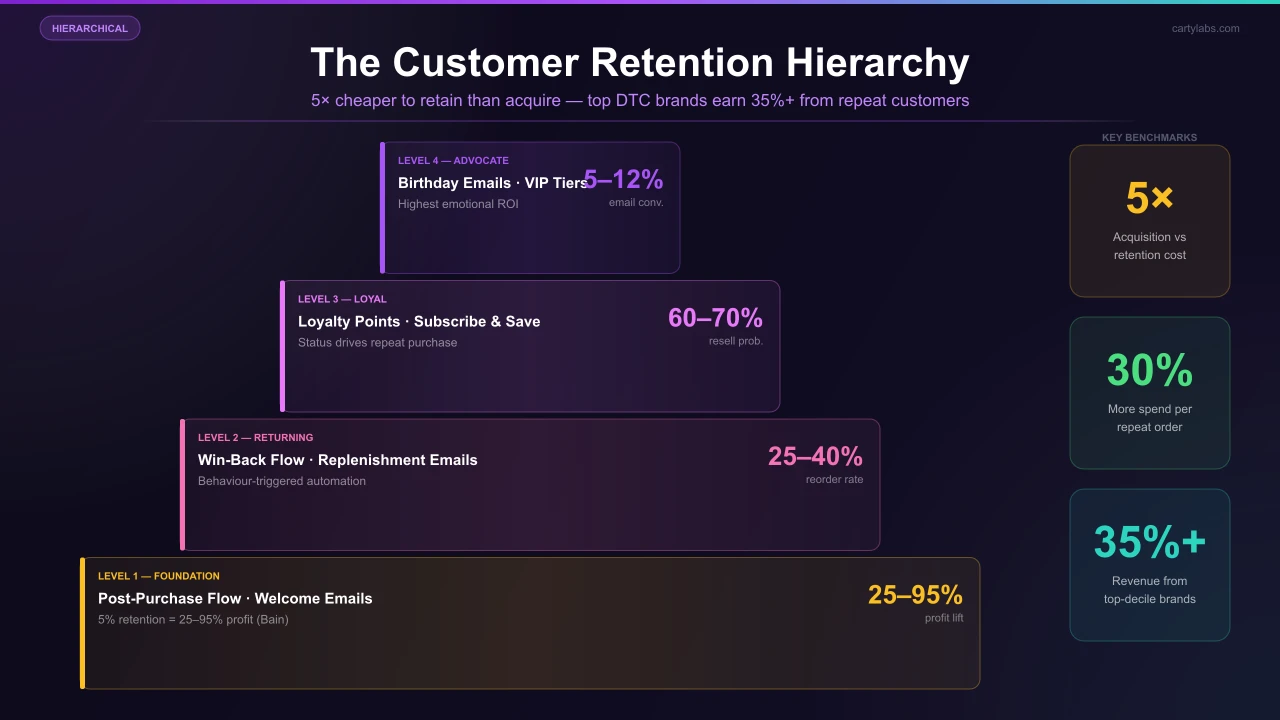
Shopify Customer Retention: How to Drive Repeat Purchases
Acquisition gets you the first sale, retention builds the business. Learn how to increase LTV through subscriptions, loyalty programs, and post-purchase flows.
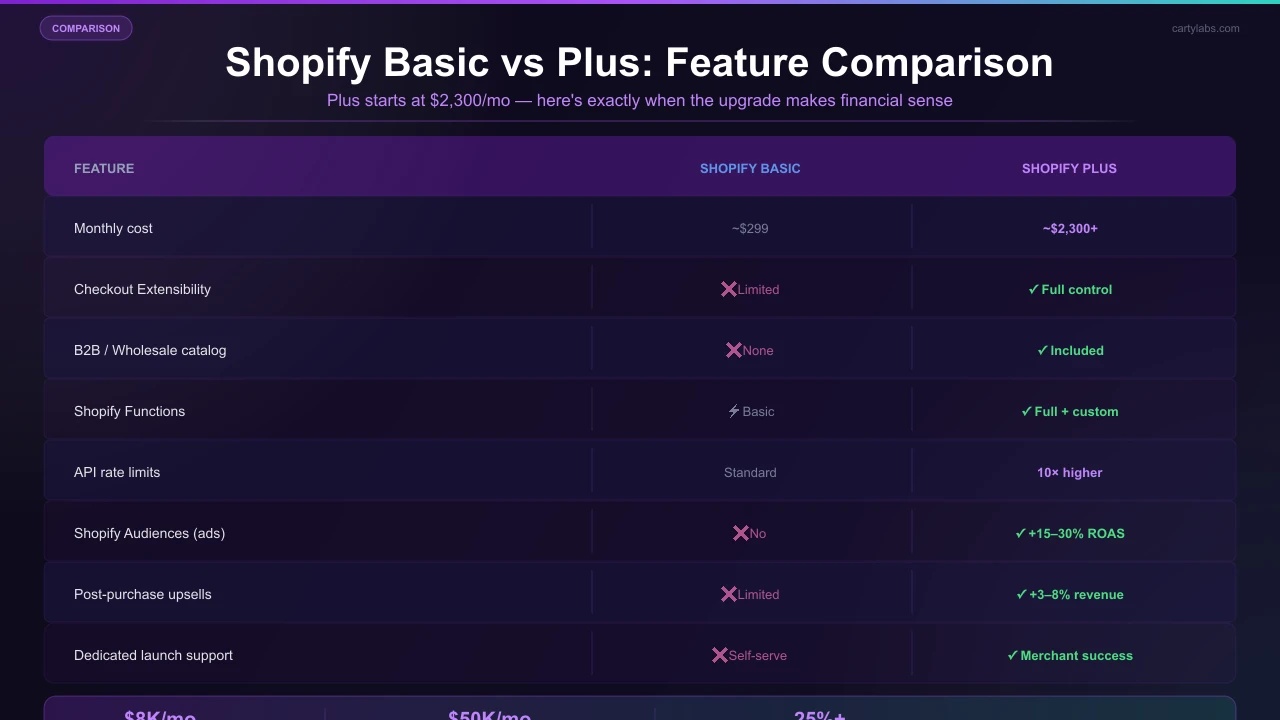
Shopify Plus vs Shopify Basic: When the Upgrade Pays for Itself
The definitive guide to upgrading from Shopify Basic to Plus. The math, features, and breaking point where the $2k/mo fee saves you money.
Is Your Shopify Checkout Optimized? A 10-Point Checklist
Audit your Shopify checkout in twenty minutes using this ten-point conversion checklist covering speed, mobile, trust, payment, shipping, and the post-purchase experience that most stores miss.
 Install Free Checkout App