
Level Up Your Store With Shopify Checkout UI Extensions
Use Shopify Checkout UI Extensions to add upsells, loyalty widgets, custom fields, and trust elements without rebuilding checkout. The complete merchant guide to extension surfaces and the apps worth installing.
In this article
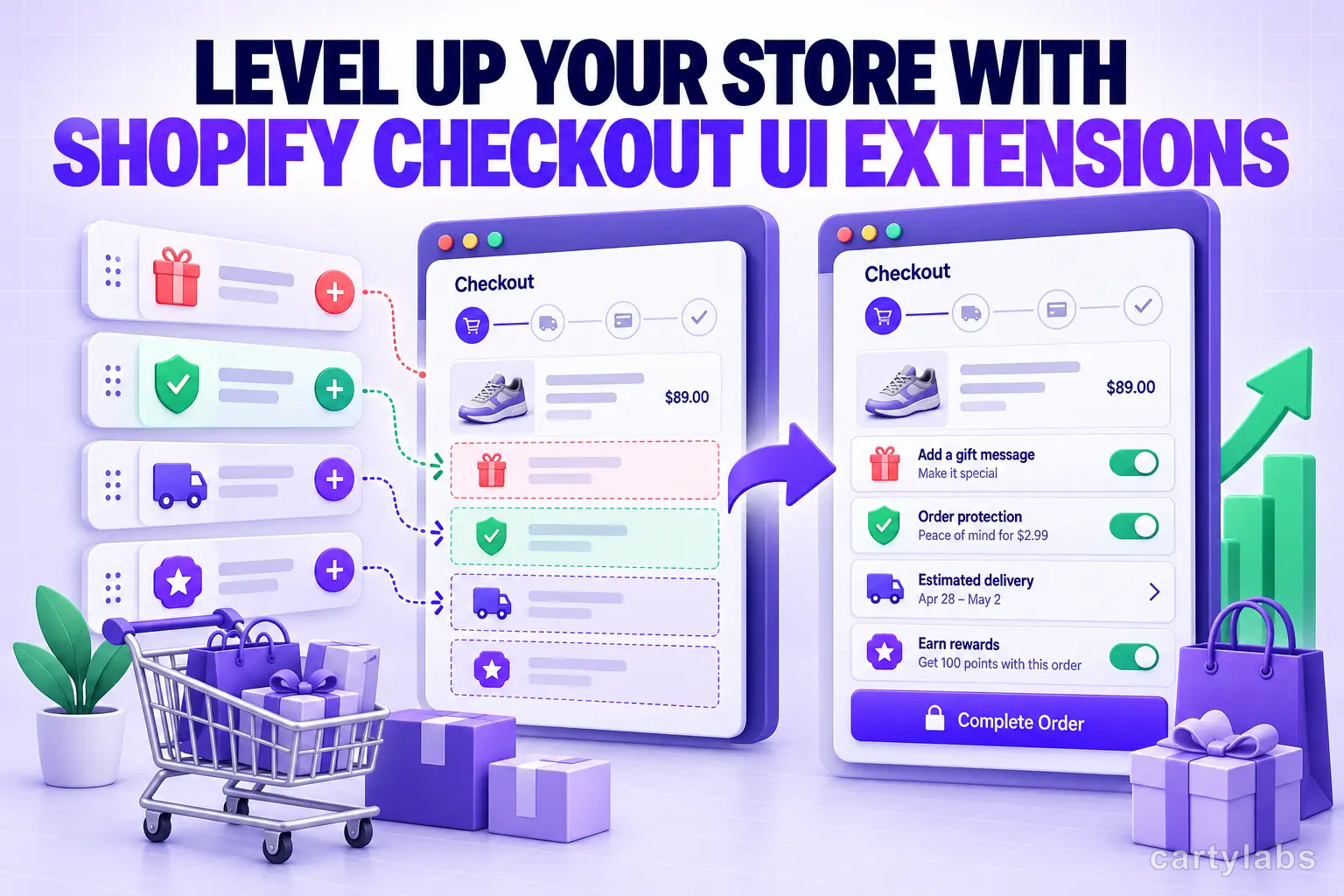
Checkout UI Extensions are the most important thing that has happened to Shopify checkout in five years and most merchants still treat them as a niche developer feature. They are not. They are the reason a standard Shopify store in 2026 can compete with a fully custom checkout, no engineering team required.
This guide walks through what extensions are, what they can do, where they slot into the checkout, and the categories of extension app every store should consider.
For the deeper technical model, the Shopify checkout extensibility explained post covers the underlying architecture and how it replaces the old checkout.liquid model.
What a Checkout UI Extension actually is
A Checkout UI Extension is a piece of UI built with React (or Shopify’s native components) that plugs into a specific named surface inside Shopify checkout. The merchant installs the extension by installing the app. Shopify renders the extension server-side at the right surface. No theme edits, no checkout.liquid, no breakage at the next checkout update.
The model replaces the old “patch checkout.liquid with custom JavaScript” approach that broke every time Shopify shipped a checkout update. Extensions are forward-compatible by design.
The surfaces extensions can render at
There are roughly two dozen named surfaces in Shopify checkout where extensions can render. The ones that matter most:
- Above the order summary
- Below the order summary
- Above the contact form
- Below the shipping method
- Above the payment method
- Above the buy button
- On the Thank You page (header, body, footer)
- On the order status page
Each surface has different conversion implications. An extension above the buy button has high visibility but high risk of distraction. An extension on the Thank You page is pure upside since the buyer has already paid.
What categories of extension actually exist
The Shopify App Store has dozens of extension categories. The ones worth installing for most merchants:
1. Upsell and cross-sell extensions
In-checkout upsells render between cart review and payment, offering a relevant add-on at one tap. Pre-purchase upsells render on the cart drawer. Post-purchase upsells render on the Thank You page. Each surface has a different conversion curve. Our best Shopify checkout upsell apps roundup breaks down the strongest options per surface.
2. Trust and reassurance extensions
Trust badge extensions surface SSL icons, accepted payment logos, and return-policy reminders inline with the checkout form. The pattern is quiet, specific, and consistently lifts payment-step completion two to four percent. Our Shopify checkout trust badges guide covers the design choices that matter.
3. Loyalty and rewards extensions
Loyalty extensions show the buyer their current points balance, redeemable rewards, and the points they will earn from this order. Surfacing loyalty in checkout (not just on the account page) lifts returning-buyer conversion meaningfully on stores with mature loyalty programs.
4. Custom-field extensions
These let merchants collect delivery instructions, gift messages, dietary requirements, or any free-text input the order needs. Critically, they collect this information in checkout rather than via a post-order email, which removes a fulfillment delay.
5. Shipping and delivery extensions
Date-picker extensions let buyers choose delivery dates. Local-pickup extensions surface pickup location options. Carbon-offset extensions add a one-tap optional charge. Each addresses a specific customer expectation that previously required a custom theme build.
6. Subscription extensions
Subscription apps use extensions to render the “subscribe and save” toggle inline with the order, with frequency picker and discount preview. This is materially cleaner than the old in-cart subscription widgets. See our Shopify subscribe and save cart guide.
7. Post-purchase extensions
The Thank You page is where the highest-AOV moves live. Extensions for one-click upsells, account creation, referral programs, and surveys all use this surface. The Shopify checkout post-purchase upsell guide covers the offer structures that convert.
What to install first
Most stores benefit from installing one extension per category in this order:
- A trust badge extension (lowest risk, modest lift)
- A post-purchase upsell extension (no checkout-completion risk, pure AOV)
- An in-checkout upsell extension (revenue lift, modest test required)
- A loyalty extension if you have a loyalty program
- A custom-field extension if your fulfillment needs custom data
After this stack you have most of the value extensions can deliver. More than five extensions starts to clutter the checkout and slow first paint.
Where extensions break things
Extensions are sandboxed, but they are not free. Each one adds bundle weight and render time. A checkout running ten heavy extensions on a slow mobile connection will measurably lose conversion to a checkout running three lightweight extensions.
Audit extension performance quarterly. Disable extensions that do not pay their weight in lift.
The cart-side complement
Checkout UI Extensions live inside checkout. They cannot modify the cart drawer, the product page, or the storefront. For those surfaces, a cart and AOV app is the equivalent. Cartylabs handles the cart, in-cart upsells, free-gift progress, and post-purchase offers as a complement to whatever extensions you install in checkout itself.
Next steps
Related Shopify resources
Practical tools and product pages related to this guide.
Keep reading
All articles →
How to Customize Your Shopify Checkout Without Breaking Code
Customize Shopify checkout safely using the Editor, Branding API, and no-code Checkout UI Extension apps. A merchant-friendly guide to changing every visible element without touching liquid.

How to Integrate Loyalty Rewards Directly Into Shopify Checkout
Surface Shopify loyalty rewards inside checkout with UI extensions, points balance widgets, and redemption flows that lift returning-buyer conversion four to nine percent on stores with mature programs.
In-Checkout Upsells: How to Boost Shopify Order Value in 2026
Add in-checkout upsells on Shopify that lift AOV without dragging conversion. Offer construction, placement, targeting, and the apps that ship the highest-converting in-checkout modules in 2026.
 Install Cart — Free