
Build a Shopify cart around what you sell.
Pick your industry to see what to offer in the CartyLabs cart drawer and how to set it up.
- Beauty Build skincare routines, use samples as rewards and offer refills on products shoppers finish.
- Fashion Keep size choices visible, suggest outfit pairings and set a free shipping threshold that pays for itself.
- Supplements Sell starter stacks, make subscribe-and-save clear and reward multi-unit orders that make sense for your catalog.
- Jewelry Offer gift-ready details and optional shipping protection without crowding a high-value purchase.
See where the offers go.
The drawer opens over the storefront. Shoppers can review the order, see what they’re close to unlocking and make changes before checkout.
Explore the Shopify cart drawer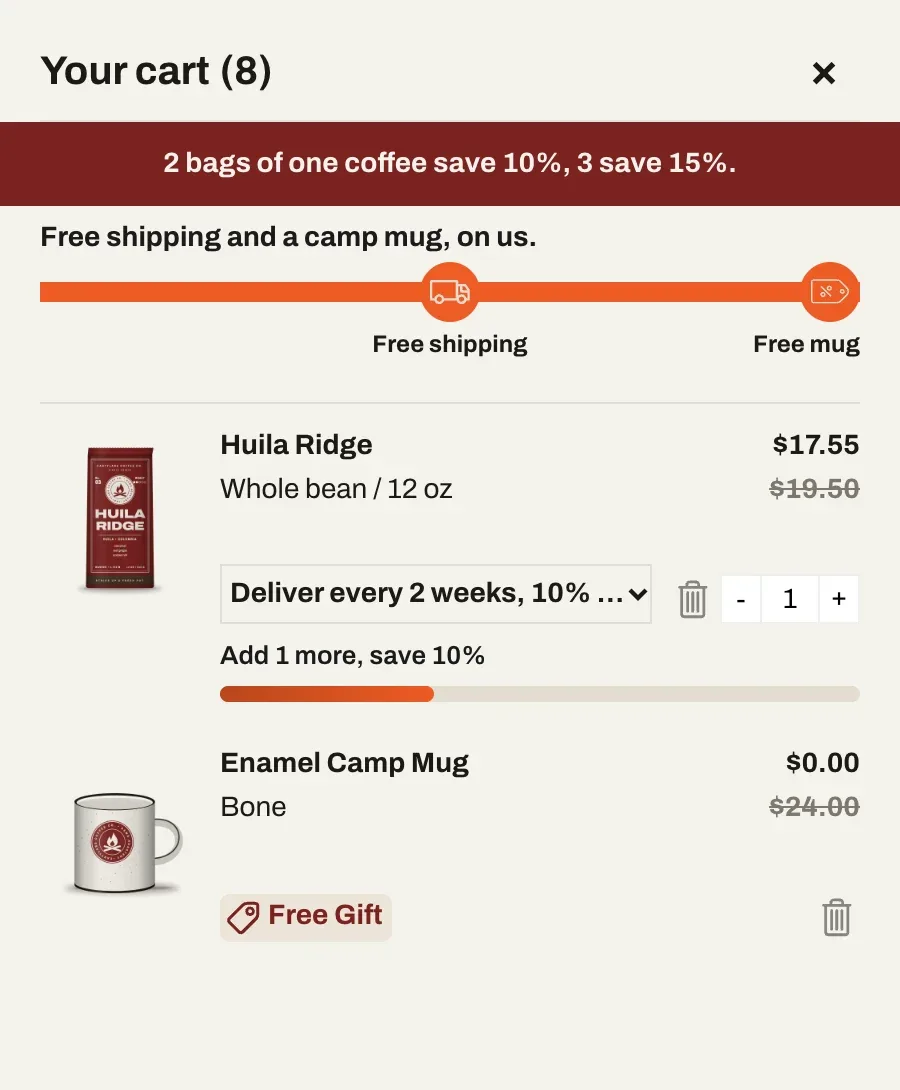
Shopify cart upsell FAQs
What is a Shopify cart upsell?
It is an offer shown after a shopper adds something to the cart and before they check out. A useful offer fits the order, such as a matching accessory, a refill plan for an eligible product or optional gift packaging.
Which cart offer should I start with?
Start with the decision shoppers are already making. If buyers often add a cleanser alone, try one complementary product. If they frequently buy gifts, make wrapping and a message easy to add. Test one change at a time.
Do I need a separate CartyLabs app for my industry?
No. All four playbooks use the same CartyLabs Shopify cart app. The right settings depend on what you sell and how your customers shop.